
B Testimonials Block – Showcase Testimonials with Custom Styles
Active Installs
100+
Last Updated
March 30, 2026
First Released
February 26, 2025
Download History (Last one month)
Contributors
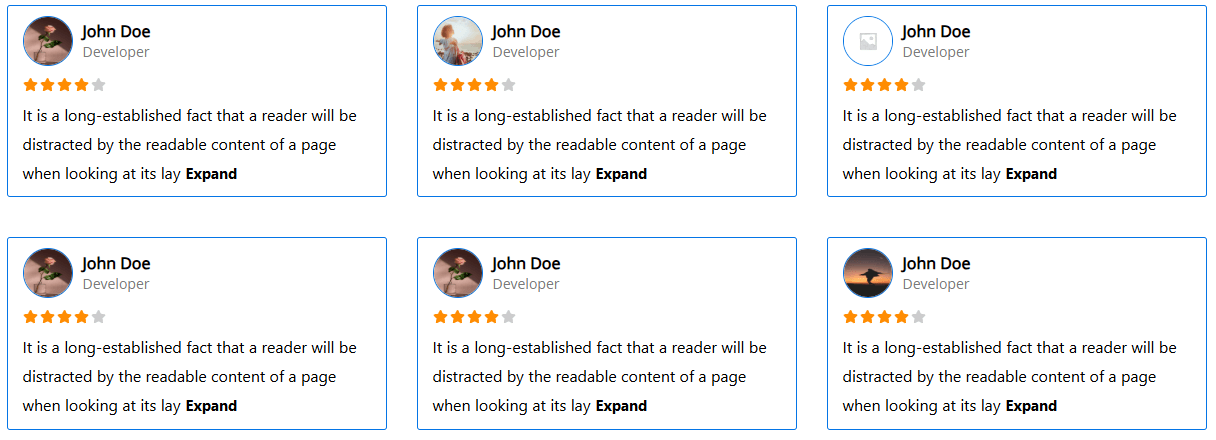
The B Testimonials Block is your solution for displaying customer ratings and reviews seamlessly on your website. Boost trust and credibility by highlighting positive feedback from satisfied customers. With easy integration and customizable options, this block makes it simple to showcase testimonials that resonate with your audience.
Features
- Choose from three layout options: Default, Slider, and Masonry.
- Select from seven theme styles: Default, Theme 1, Theme 2, Theme 3, Theme 4, Theme 5, and Theme 6.
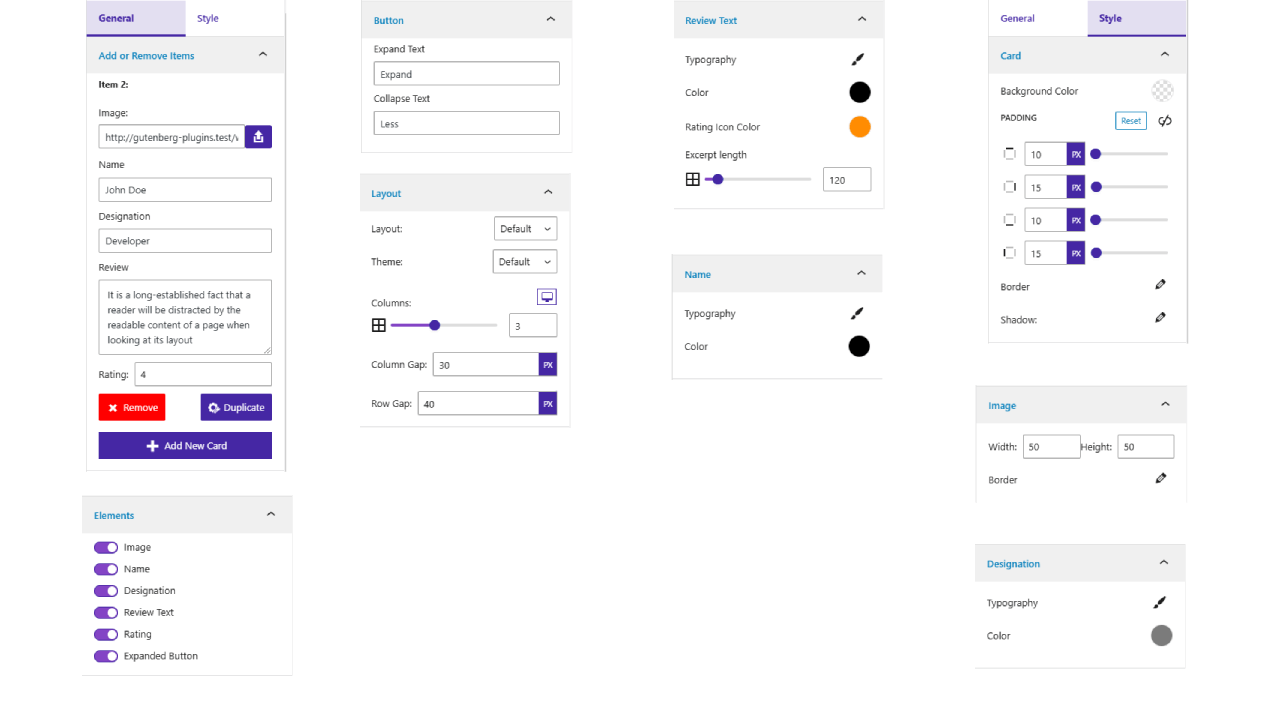
- Configure columns per device and adjust column gap and row gap for precise layout control.
- Customize card design by modifying the background color, padding, border, and shadow.
- Adjust image settings, including width, height, and border styling.
- Personalize name, designation, and review text with custom typography and color settings.
- Modify rating color and set the excerpt length to control review content display.
How to use
- First install the B Testimonials plugin
- Add the B Testimonials block from the block category called “Widgets” in Gutenberg editor.
- You can change block settings from the right side settings sidebar.
-
Enjoy!
-
For installation help click on Installation Tab
Feedback
- Liked that plugin? Hate it? Want a new feature? Send me some feedback
⭐ Check out the Parent Plugin of this plugin-
🔥 b Blocks – Best gutenberg blocks collections for WordPress.
⭐ Check out our other WordPress Plugins-
🔥 Html5 Audio Player – Best audio player plugin for WordPress.
🔥 Html5 Video Player – Best video player plugin for WordPress.
🔥 PDF Poster – A fully-featured PDF Viewer Plugin for WordPress.
🔥 StreamCast – A fully-featured Radio Player Plugin for WordPress.
🔥 3D Viewer – Display interactive 3D models on the webs.
From Gutenberg Editor:
- Go to the WordPress Block/Gutenberg Editor
- Search For B Testimonials Block
- Click on the B Testimonials Block to add the block
Download & Upload:
- Download the B Testimonials Block plugin (.zip file)
- In your admin area, go to the Plugins menu and click on Add New
- Click on Upload Plugin and choose the
b-testimonials-block.zipfile and click on Install Now - Activate the plugin and Enjoy!
Manually:
- Download and upload the B Testimonials Block plugin to the
/wp-content/plugins/directory - Activate the plugin through the Plugins menu in WordPress
Yes, B Testimonials Block is a free Gutenberg block plugin.
Yes, it will work with any standard WordPress theme.
Yes, you can change block settings from the Gutenberg block editor’s right sidebar.
You can use unlimited times as you want.
You can post your questions on the support forum here
Changelog
1.0.2 – 12 April, 2025
- Some issues fixed;
1.0.1 – 26 Feb, 2025
- Added screenshots, logo, banner, and feature list.
1.0.0
- Initial Release
" width="120" height="120">
