
AI Provider for Ollama
Active Installs
300+
Last Updated
August 18, 2026
First Released
March 23, 2026
Download History (Last one month)
This plugin provides Ollama integration for the WordPress AI Client. It lets WordPress sites use large language models running locally or on a remote Ollama instance for text, image, and embedding generation and other AI capabilities.
Ollama exposes an OpenAI-compatible API, and this provider uses that API to communicate with any model you have pulled into Ollama (Llama, Mistral, Gemma, Phi, and many more).
Features:
- Text generation with any Ollama model
- Image generation with supported models
- Embedding generation with any embedding-capable Ollama model
- Automatic model discovery from your Ollama instance
- Function calling support
- Structured output (JSON mode) support
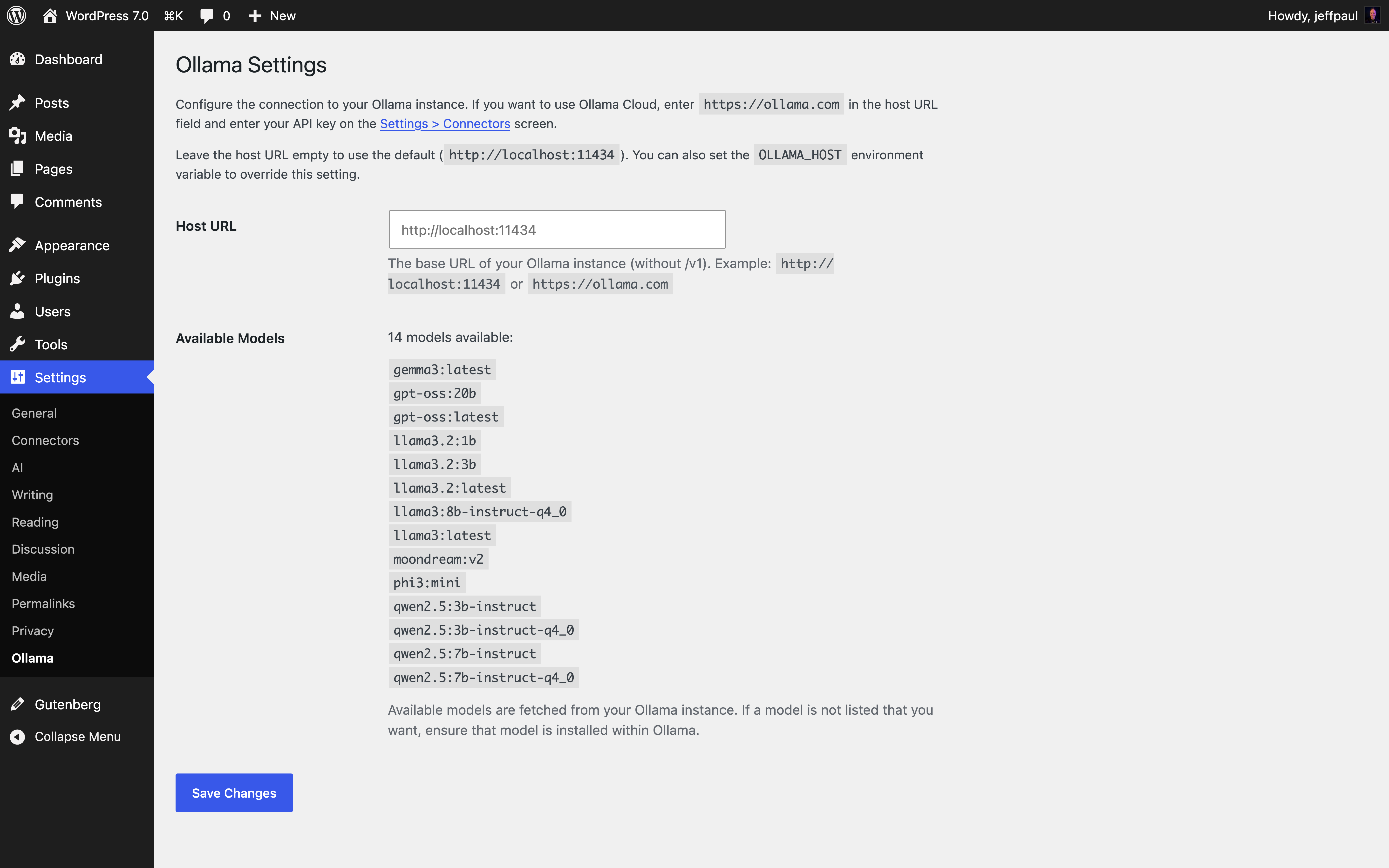
- Settings page for host URL and seeing available models
- Works without an API key for local instances
Requirements:
- PHP 7.4 or higher
- WordPress 7.0 or higher
- Ollama running locally or on a remote server (like Ollama Cloud)
- Upload the plugin files to
/wp-content/plugins/ai-provider-for-ollama/. - Activate the plugin through the ‘Plugins’ menu in WordPress.
- Go to Settings > Ollama to configure the host URL and see available models.
Visit ollama.com to download and install Ollama for your platform. Once installed, pull a model (example ollama pull llama3.2) and the provider will automatically discover it.
No. For local Ollama instances, no API key is needed. The plugin automatically handles authentication for local setups.
For remote Ollama instances that require authentication, enter the API key in the Settings > Connectors screen. If using Ollama Cloud, you also need to set your Ollama host URL in the Settings > Ollama screen to https://ollama.com.
By default, the provider connects to http://localhost:11434. You can change this in two ways:
- Set the
OLLAMA_HOSTenvironment variable (takes precedence). - Go to Settings > Ollama in the WordPress admin and enter your host URL.
Changelog
1.2.0 – 2026-08-18
Added
Changed
1.1.1 – 2026-05-14
Added
– Ensure the AI plugin sees Ollama as a valid, connected provider within the status dashboard widget (props @dkotter, @jeffpaul via #55).
Fixed
– More robust path inclusion for the logo (props @dkotter, @abcdatos via #61).
1.1.0 – 2026-04-23
- Added: Support for image generation when using compatible models (props @milindmore22, @dkotter via #30).
- Added: Integrate with the
wpai_has_ai_credentialsfilter to ensure the AI plugin sees Ollama as a valid, connected provider (props @dkotter, @jeffpaul via #43). - Added: Show the capabilities of each model next to the model name on our settings page (props @dkotter, @jeffpaul via #51).
- Changed: Increase the standard timeout to be 60 seconds for text generation (props @dkotter, @jeffpaul via #49).
- Fixed: Properly parse structured outputs (props @dkotter, @jeffpaul via #49).
1.0.3 – 2026-03-25
- Changed: Removed AI Client dependency FAQ entry (props @raftaar1191 via #29).
- Fixed: Ensure the vendor directory ends up in our final release (props @soderlind, @dkotter via #31).
1.0.2 – 2026-03-23
- Changed: Updated plugin display name and slug per WPORG feedback (props @dkotter, @jeffpaul via #25).
1.0.1 – 2026-03-20
- Added: Support for the provider description and logo path (props @jeffpaul, @dkotter via #13).
- Changed: Display name and slug to meet WPORG Plugin team requirements (props @jeffpaul, @dkotter via #22).
- Changed: Update menu name from Ollama Settings to Ollama (props @jeffpaul, @dkotter via #19).
- Fixed: Ensure we properly check if the provider is connected rather than defaulting to always showing as connected (props @raftaar1191, @dkotter via #17).
1.0.0 – 2026-03-05
- Initial release
- Text generation with Ollama models via the OpenAI-compatible API
- Automatic model discovery from the Ollama instance
- Settings page for host URL and default model
- Function calling and structured output support
" width="120" height="120">
