
Advanced Scrollbar – Give Your Site a Sleek Branded Scrolling Feel
Active Installs
600+
Last Updated
October 3, 2026
First Released
October 23, 2016
Download History (Last one month)
Contributors
Replace the default browser scrollbar with a branded, beautifully styled one – and add eye-catching cursor and click effects – without writing a single line of code.
Advanced Scrollbar | Pricing | Support | Live Demo
Why Advanced Scrollbar?
The default scrollbar is the one part of your site you never designed. Advanced Scrollbar is a lightweight WordPress plugin that lets you customize scrollbar color, width, background, speed, and alignment so scrolling matches the rest of your brand – no coding required.
It works with all major browsers and WordPress themes, so whether you prefer subtle styling tweaks or vibrant animated effects, you can polish navigation site-wide in minutes. It is especially useful for content-heavy pages with long scroll areas.
Free Features
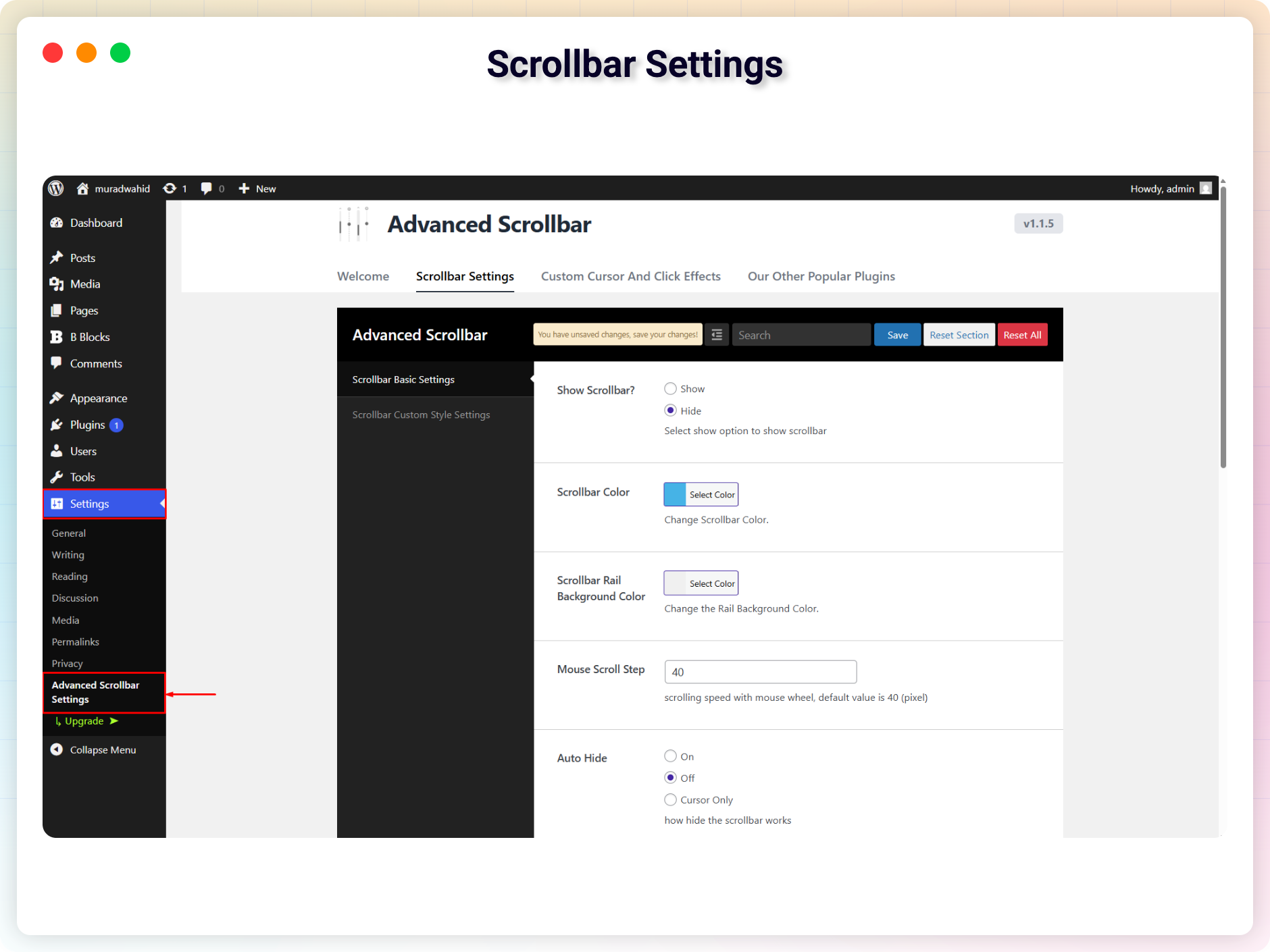
- Scrollbar Appearance: Customize thumb color, rail background, width, border, and rounded corners.
- Visibility Controls: Show or hide the scrollbar when not in use.
- Scroll Behavior: Adjust scroll speed, smoothness, and mouse scroll step.
- Alignment Options: Place the scrollbar on the left or right side of the page.
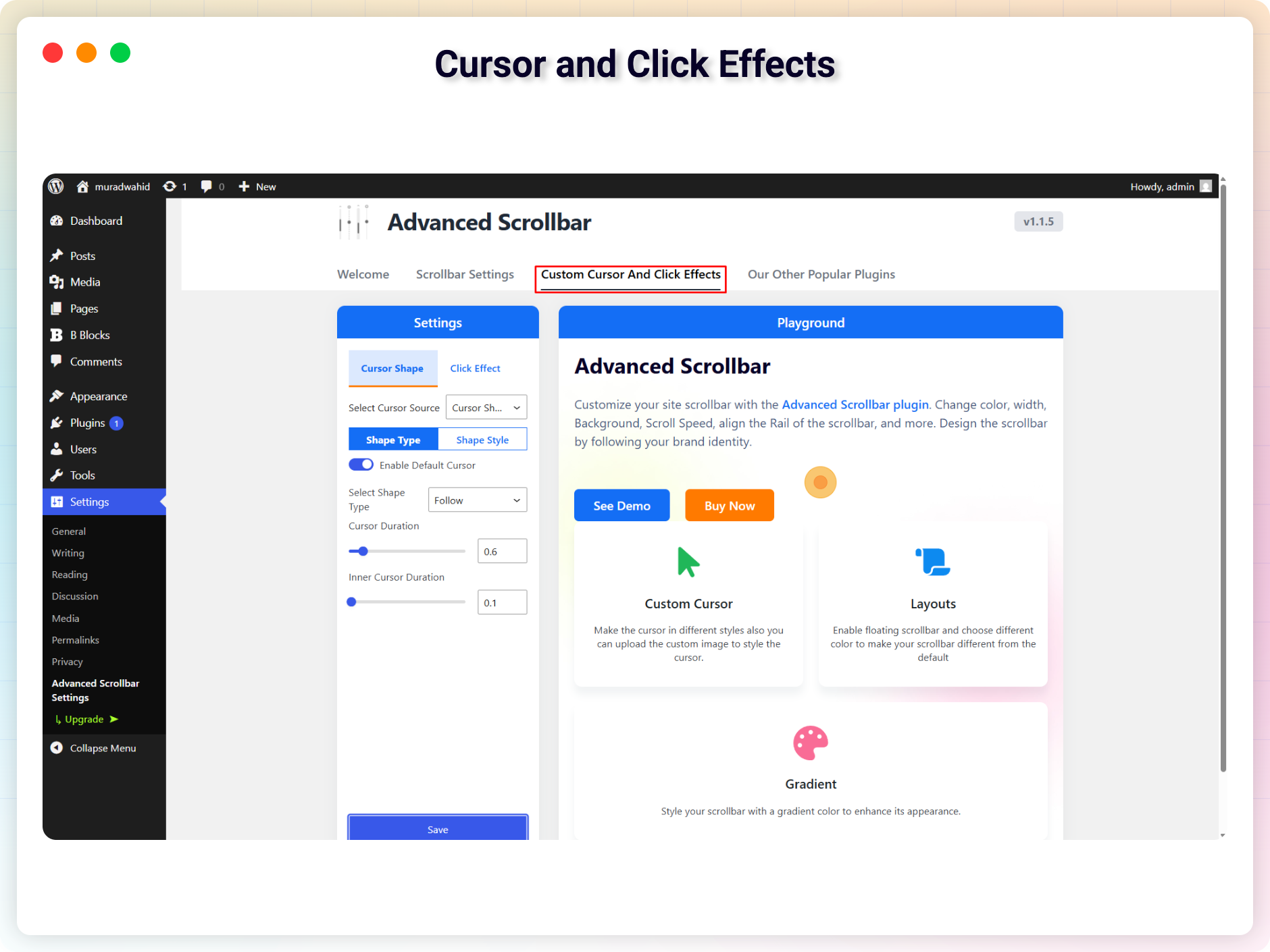
- Cursor Shapes: Follow, Dot, Blob, and Elastic cursor styles.
- Click Effects: Spark, Spark Simple, and Starburst animations on click.
- Flexible Application Modes: Apply styles site-wide from the dashboard, or per page/post directly in the WordPress editor – great for campaigns or featured content.
- Touch-Friendly: Enable optimized scrolling for touch devices.
- Lightweight & Universal: Ad-free, powered by jQuery, works across browsers and themes.
Pro Version
The Advanced Scrollbar Pro version adds advanced design options, premium effects, and enhanced controls to give your scrollbar a unique look and feel.
Pro features include:
- Dynamic full-height scrollbars – ideal for long pages.
- Gradient & floating designs – apply modern gradient colors or floating scrollbars.
- Premium cursor shapes – Glitch Matrix, Neon, Gradient, Magnetic, Ribbon, Spotlight, and more.
- Premium click effects – Ripples, Pulses, Waves, Explosions, and other animations.
- Custom floating scrollbar colors – set background and text colors for floating scrollbars.
Upgrade to Pro and unlock all premium features today!
How to Use Advanced Scrollbar – Quick Start
- Install and activate the plugin.
- Go to Settings Advanced Scrollbar.
- Customize scrollbar and cursor styles in the settings panel.
- Save changes and enjoy your new scrolling experience.
Live Demo | Try the Pro Version
Use Cases
- Content-heavy pages: Improve the scrolling experience on long-form articles and documentation.
- Brand consistency: Match the scrollbar to your site’s color palette and design language.
- Campaign pages: Apply unique cursor and click effects to specific pages or posts for featured content.
- Modern portfolios: Add subtle motion and polish that makes a design-focused site feel finished.
Like the plugin? Missing a feature? Send your feedback – we ship improvements regularly.
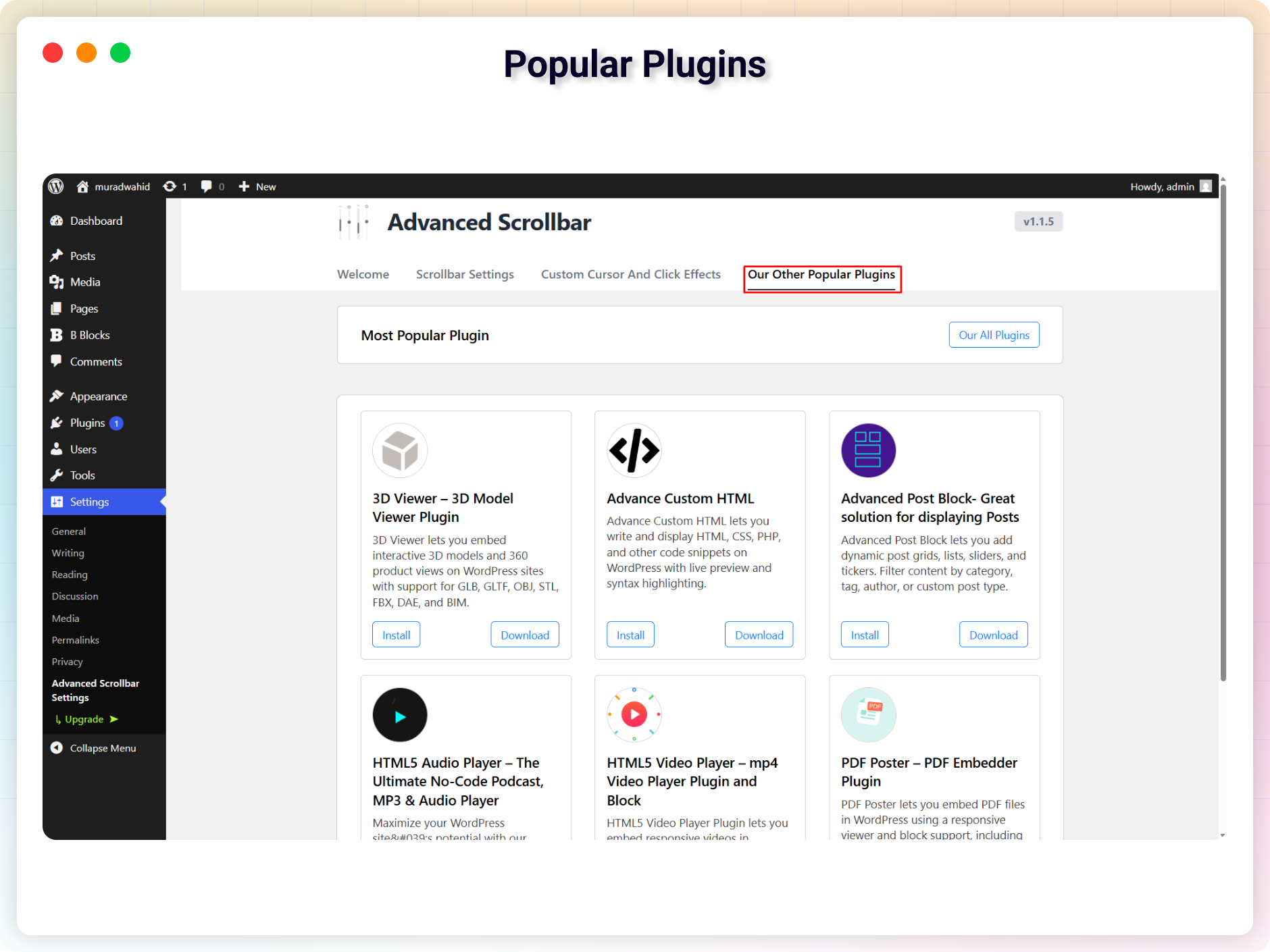
Check out our other WordPress Plugins-
Html5 Video Player – Display videos as single and playlist in multiple skins.
PDF Poster – Display/Embed PDF files with different styles.
Html5 Audio Player – Listen audios with awesome visuals.
StreamCast – Customizable radio player with different skins.
3D Viewer – Embed 3D models and 3D products with interaction.
Advanced Post Block – Show posts and custom posts in different layouts.
Source Code
You can find the source code, report bugs, and contribute to the development of this plugin on our GitHub repository:
Advanced Scrollbar on GitHub
This plugin bundles the following third-party JavaScript/PHP libraries.
jQuery nicescroll v3.7.6
- File:
assets/js/jquery.nicescroll.min.js - Source: https://github.com/inuyaksa/jquery.nicescroll
- GitHub: https://github.com/inuyaksa/jquery.nicescroll
- License: MIT – https://github.com/inuyaksa/jquery.nicescroll/blob/master/MIT.LICENSE
- Purpose: Enhances scrollable areas with smooth scrolling, momentum effects, and customizable stylish scrollbars for a more modern and user-friendly interface experience.
Font Awesome Free v6.4.2
- File:
src/settings/assets/css/font-awesome.min.css - Source: https://fontawesome.com/
- GitHub: https://github.com/FortAwesome/Font-Awesome
- License: Icons: CC BY 4.0, Fonts: SIL OFL 1.1, Code: MIT – https://fontawesome.com/license/free
- Purpose: Provides scalable vector icons used in the plugin’s admin settings interface for improved UI clarity and visual consistency.
Freemius SDK
- Source: https://freemius.com/
- GitHub: https://github.com/Freemius/wordpress-sdk
- License: GPLv3 – https://github.com/Freemius/wordpress-sdk/blob/master/LICENSE.txt
- Purpose: Provides opt-in usage tracking and analytics to help improve the plugin.
This plugin connects to the following external services from the admin dashboard:
bPlugins API
- Service URL: https://api.bplugins.com
- Purpose: The plugin’s admin dashboard fetches product comparison data and pricing information to display relevant upgrade options and feature details.
- Data Sent: Only the plugin slug is transmitted; no personal or site data is collected.
- Terms of Service: https://bplugins.com/terms-of-service/
- Privacy Policy: https://bplugins.com/privacy-policy/
WordPress.org Plugins API
- Service URL: https://api.wordpress.org/plugins/info/1.2/
- Purpose: The admin dashboard queries the official WordPress.org Plugins API to retrieve and display a curated list of other plugins by the same author (“Our Plugins” section).
- Data Sent: Plugin slugs and author name; no personal or site data is collected.
- Terms of Service: https://wordpress.org/about/tos/
- Privacy Policy: https://wordpress.org/about/privacy/
bpl-tools
- Source / GitHub: https://github.com/bPlugins/bpl-tools
- License: GPL-2.0-or-later – https://www.gnu.org/licenses/gpl-2.0.html
- Purpose: Shared utility library providing admin dashboard components and common Gutenberg editor controls.
- External Services: The library may connect to bPlugins, WordPress.org, and Freemius services for product data and checkout functionality. See full details: https://github.com/bPlugins/bpl-tools#external-requests–why-they-are-made
From your WordPress dashboard (recommended):
- Go to Plugins Add New.
- Search for “Advanced Scrollbar”.
- Click Install Now, then Activate.
- Go to Settings Advanced Scrollbar to customize your scrollbar.
Manual installation:
- Download the Advanced Scrollbar plugin (.zip file).
- In your admin area, go to Plugins Add New and click Upload Plugin.
- Choose the
advanced-scrollbar.zipfile and click Install Now. - Activate the plugin – or upload the extracted folder to
/wp-content/plugins/and activate from the Plugins menu.
Screenshot Gallery
Install it like any regular WordPress plugin – search for it under Plugins Add New, or upload the ZIP file manually. See the Installation tab for full steps.
No. The plugin is ad-free and completely free of cost.
Yes. You can place the scrollbar on either the left or the right side of the page from the settings panel.
Yes. The plugin is lightweight and compatible with all major browsers and WordPress themes.
Yes. Besides the global site-wide mode, you can apply unique scrollbar and effect settings directly in the WordPress editor for individual pages or posts.
Yes. The free version includes Follow, Dot, Blob, and Elastic cursor shapes plus Spark, Spark Simple, and Starburst click effects. The Pro version adds premium shapes and animations such as Neon, Magnetic, Ripples, and Waves.
Yes. You can enable optimized scrolling for touch devices from the settings.
Changelog
1.1.12 – 11 May, 2026
- Fixed: Removed GSAP library and replaced with raw JavaScript for GPL compliance
- Fixed: Standardized all internal prefixes from csb/CSB to casb/CASB
- Fixed: Removed all premium/trialware feature gating
- Fixed: Added Font Awesome Free 6.4.2 third-party library disclosure in readme
- Fixed: Updated jQuery nicescroll third-party library documentation in readme
- Fixed: Added source code repository link in readme
1.1.11 – 7 May, 2026
- Fixed: Removed premium feature gating to comply with WordPress.org Guideline 5 (Trialware)
- Fixed: Added public source repository link in readme for compiled/minified build files
- Fixed: Replaced GSAP library with a GPL-compatible alternative to comply with WordPress.org licensing requirements
- Fixed: Added Freemius external service disclosure in readme
1.1.9 – 9 Oct, 2025
- Fixed scroll behavior
1.1.8 – 23 Sep, 2025
- Fixed emulate touch issue
1.1.6 – 10 Sep, 2025
- Added Cursor shape and click effects
- Added Modern dashboard
1.1.4 – 28 Jan, 2025
- Update freemius sdk
1.2
- Update Settings
- Optimized
1.1
- Removed The admin menu from the dashboard.
1.0
- Initial Release
" width="120" height="120">
Available Versions
| Version | Download | Type |
|---|---|---|
| 1.1.12 | Download | Stable |
| 1.1.11 | Download | Stable |
| 1.1.10 | Download | Stable |
| 1.1.9 | Download | Stable |
| 1.1.8 | Download | Stable |
| 1.1.7 | Download | Stable |
| 1.1.6 | Download | Stable |
| 1.1.5 | Download | Stable |
| 1.1.4 | Download | Stable |
| 1.1.3 | Download | Stable |
| 1.1.2 | Download | Stable |
| 1.1.1 | Download | Stable |
| 1.0 | Download | Stable |
| Development | Download | Trunk |
