
Abs – Additional block styles
Active Installs
400+
Last Updated
March 13, 2026
First Released
March 30, 2022
Download History (Last one month)
Contributors
Provides new additional creative styles for your WordPress website native blocks in editor (Gutenberg). Simply activate the plugin and use newly available block styles (see “Frequently Asked Questions” for more info).
List of included block styles:
Portfolio gallery
Display caption of gallery images below the image to create a portfolio-like appearance.
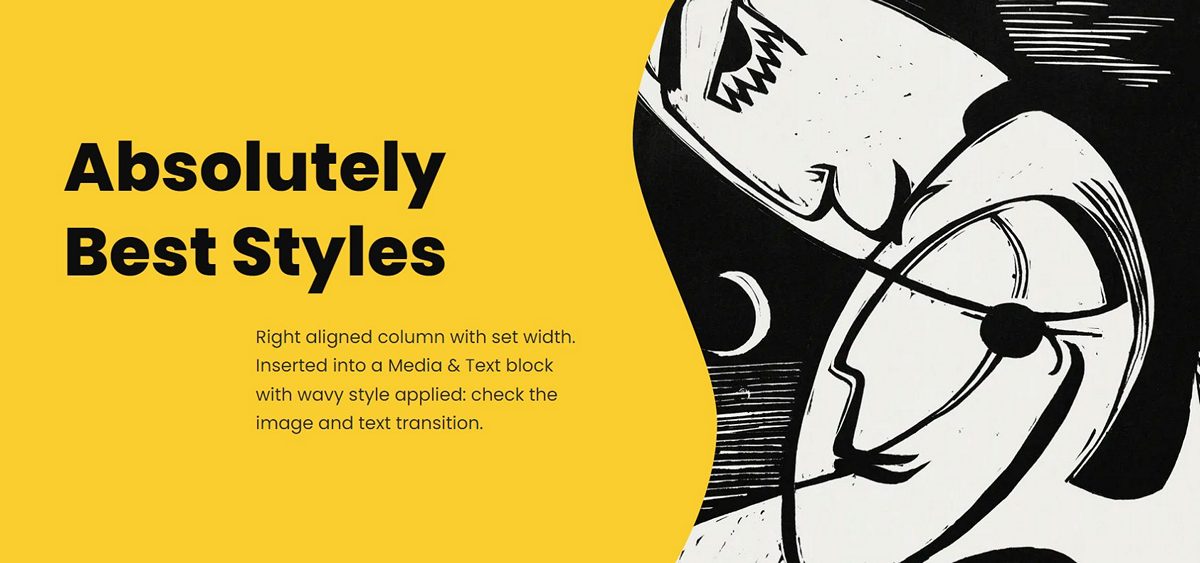
Enhanced Media & Text
Enable creative transition between media and text containers. Also, display the media on top for easy feature or service display.
Image effects
Give your Image and Media & Text blocks interesting, unique look with brushstroke, flower, blob or oval shape.
Overlap blocks
Overlap various (container) blocks over content above or below. Or pull them left and right.
Modern quotes
A modern bubble style is provided for Quote block.
List items
Separate list items and latest posts with a border. Or display lists inline.
Remove gaps
You can remove gaps between columns or gallery images. Also, a useful style to remove vertical gap from various blocks is provided.
Column alignment
Use this style with singular column which is not 100% wide. You can then align the column in columns container using these styles.
Shadows
Make various blocks stand out applying a drop shadow style. Or push the Cover block background further to the back with inner shadow.
Responsive styles
Hide a column, or stack columns and Media & Text on tablet screens (in portrait orientation).
Separator styles
New double line and zigzag separator styles are provided.
Edge sapes
Apply wavy top and bottom edge for multiple blocks (props to CoBlocks plugin for inspiration).
Accessibility related styles
You can hide headings accessibly. They will still be accessible for assistive technology such as screen reader, but visually they’ll be hidden.
Got a suggestion?
If you have a suggestion for a new block style, please share it here in support section or in GitHub repository issues.
- Unzip the plugin download file and upload
additional-block-stylesfolder into the/wp-content/plugins/directory. - Activate the plugin through the “Plugins” menu in WordPress.
- Plugin works immediately after activation by adding additional block styles into your WordPress block editor. And you can customize plugin options on Settings Abs screen.
Screenshot Gallery


If you have a suggestion for a new block style, please share it here in support section or in GitHub repository issues.
Once you enable the plugin, it will do its magic automatically. The plugin adds new block styles for WordPress native blocks in editor (Gutenberg).
With block styles you can change block appearance with one click. Simply choose your preferred style from block options in sidebar on the page/post edit screen and you are done.
Video tutorial about how to use block styles.
Yes, you can set several of plugin’s style properties and choose which block styles to enable on the Settings Abs screen.
You can set shadow properties in Settings Abs Shadows screen section.
You can set overlap size in Settings Abs Overlapping screen section.
You can toggle block styles in Settings Abs Toggle block styles screen section.
No. This plugin only registers new block styles, which means it only provides CSS code to style blocks differently. There is no custom block included in this plugin.
No. Just new block styles.
Yes. You can set settings.custom.abs object in your theme’s theme.json file, such as follows:
"settings": {
    "custom": {
        "abs": {
            "overlap-value": "100px",
            "overlap-inline-value": "min(10vw, 100px)",
            "overlap-gradient-value": "100px",
            "shadow-blur": "1em",
            "shadow-opacity": ".15",
            "pull": "calc( -1 * var(--wp--custom--abs--overlap-value) )",
            "drop-shadow": "0 calc(var(--wp--custom--abs--shadow-blur) / 10) var(--wp--custom--abs--shadow-blur) rgba(0,0,0, var(--wp--custom--abs--shadow-opacity))",
            "inner-shadow": "inset 0 calc(1.5 * var(--wp--custom--abs--shadow-blur) / 10) calc(1.5 * var(--wp--custom--abs--shadow-blur)) rgba(0,0,0, calc(1.33 * var(--wp--custom--abs--shadow-opacity)) )"
        }
    }
}
Changelog
Please see the changelog.md file for details.
" width="120" height="120">
Available Versions
| Version | Download | Type |
|---|---|---|
| 1.8.2 | Download | Stable |
| 1.8.1 | Download | Stable |
| 1.8.0 | Download | Stable |
| 1.7.0 | Download | Stable |
| 1.6.1 | Download | Stable |
| 1.6.0 | Download | Stable |
| 1.5.0 | Download | Stable |
| 1.4.0 | Download | Stable |
| 1.3.0 | Download | Stable |
| 1.2.0 | Download | Stable |
| 1.1.0 | Download | Stable |
| 1.0.0 | Download | Stable |
| Development | Download | Trunk |
