
ActivityPub
Active Installs
6,000+
Last Updated
September 2, 2026
First Released
September 24, 2018
Download History (Last one month)
Enter the fediverse with ActivityPub, broadcasting your blog to a wider audience! Attract followers, deliver updates, and receive comments from a diverse user base of ActivityPub-compliant platforms.
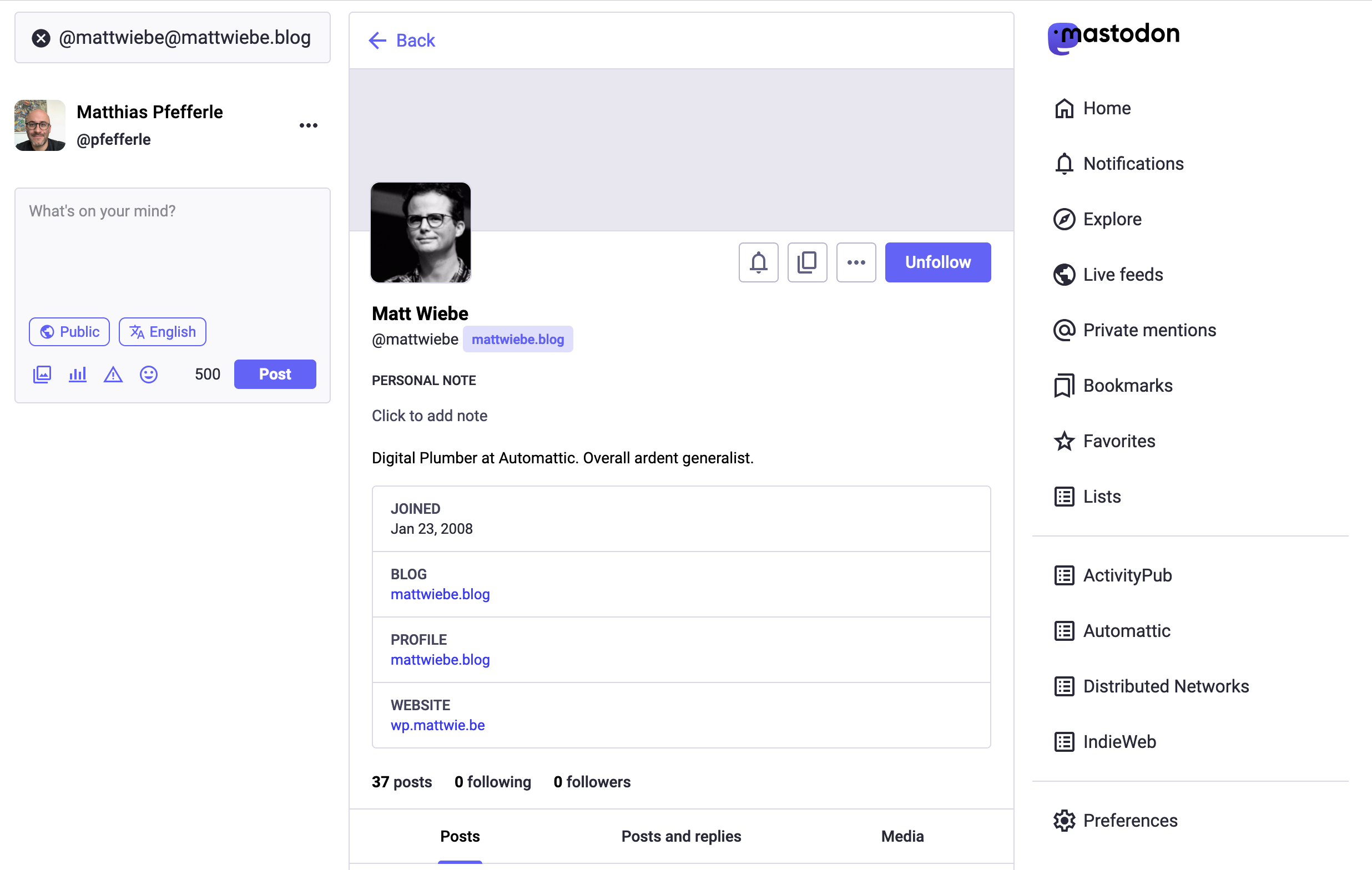
With the ActivityPub plugin installed, your WordPress blog itself functions as a federated profile, along with profiles for each author. For instance, if your website is example.com, then the blog-wide profile can be found at @example.com@example.com, and authors like Jane and Bob would have their individual profiles at @jane@example.com and @bob@example.com, respectively.
An example: I give you my Mastodon profile name: @pfefferle@mastodon.social. You search, see my profile, and hit follow. Now, any post I make appears in your Home feed. Similarly, with the ActivityPub plugin, you can find and follow Jane’s profile at @jane@example.com.
Once you follow Jane’s @jane@example.com profile, any blog post she crafts on example.com will land in your Home feed. Simultaneously, by following the blog-wide profile @example.com@example.com, you’ll receive updates from all authors.
Note: If no one follows your author or blog instance, your posts remain unseen. The simplest method to verify the plugin’s operation is by following your profile. If you possess a Mastodon profile, initiate by following your new one.
The plugin works with the following tested federated platforms, but there may be more that it works with as well:
Some things to note:
- The blog-wide profile is only compatible with sites with rewrite rules enabled. If your site does not have rewrite rules enabled, the author-specific profiles may still work.
- Many single-author blogs have chosen to turn off or redirect their author profile pages, usually via an SEO plugin like Yoast or Rank Math. This is usually done to avoid duplicate content with your blog’s home page. If your author page has been deactivated in this way, then ActivityPub author profiles won’t work for you. Instead, you can turn your author profile page back on, and then use the option in your SEO plugin to noindex the author page. This will still resolve duplicate content issues with search engines and will enable ActivityPub author profiles to work.
- Once ActivityPub is installed, only new posts going forward will be available in the fediverse. Likewise, even if you’ve been using ActivityPub for a while, anyone who follows your site will only see new posts you publish from that moment on. They will never see previously-published posts in their Home feed. This process is very similar to subscribing to a newsletter. If you subscribe to a newsletter, you will only receive future emails, but not the old archived ones. With ActivityPub, if someone follows your site, they will only receive new blog posts you publish from then on.
So what’s the process?
- Install the ActivityPub plugin.
- Go to the plugin’s settings page and adjust the settings to your liking. Click the Save button when ready.
- Make sure your blog’s author profile page is active if you are using author profiles.
- Go to Mastodon or any other federated platform, and search for your profile, and follow it. Your new profile will be in the form of either
@your_username@example.comor@example.com@example.com, so that is what you’ll search for. - On your blog, publish a new post.
- From Mastodon, check to see if the new post appears in your Home feed.
Note: It may take up to 15 minutes or so for the new post to show up in your federated feed. This is because the messages are sent to the federated platforms using a delayed cron. This avoids breaking the publishing process for those cases where users might have lots of followers. So please don’t assume that just because you didn’t see it show up right away that something is broken. Give it some time. In most cases, it will show up within a few minutes, and you’ll know everything is working as expected.
Follow the normal instructions for installing WordPress plugins.
Automatic Plugin Installation
To add a WordPress Plugin using the built-in plugin installer:
- Go to Plugins > Add New.
- Type “
activitypub” into the Search Plugins box. - Find the WordPress Plugin you wish to install.
- Click Details for more information about the Plugin and instructions you may wish to print or save to help setup the Plugin.
- Click Install Now to install the WordPress Plugin.
- The resulting installation screen will list the installation as successful or note any problems during the install.
- If successful, click Activate Plugin to activate it, or Return to Plugin Installer for further actions.
Manual Plugin Installation
There are a few cases when manually installing a WordPress Plugin is appropriate.
- If you wish to control the placement and the process of installing a WordPress Plugin.
- If your server does not permit automatic installation of a WordPress Plugin.
- If you want to try the latest development version.
Installation of a WordPress Plugin manually requires FTP familiarity and the awareness that you may put your site at risk if you install a WordPress Plugin incompatible with the current version or from an unreliable source.
Backup your site completely before proceeding.
To install a WordPress Plugin manually:
- Download your WordPress Plugin to your desktop.
- Download from the WordPress directory
- Download from GitHub
- If downloaded as a zip archive, extract the Plugin folder to your desktop.
- With your FTP program, upload the Plugin folder to the
wp-content/pluginsfolder in your WordPress directory online. - Go to Plugins screen and find the newly uploaded Plugin in the list.
- Click Activate to activate it.
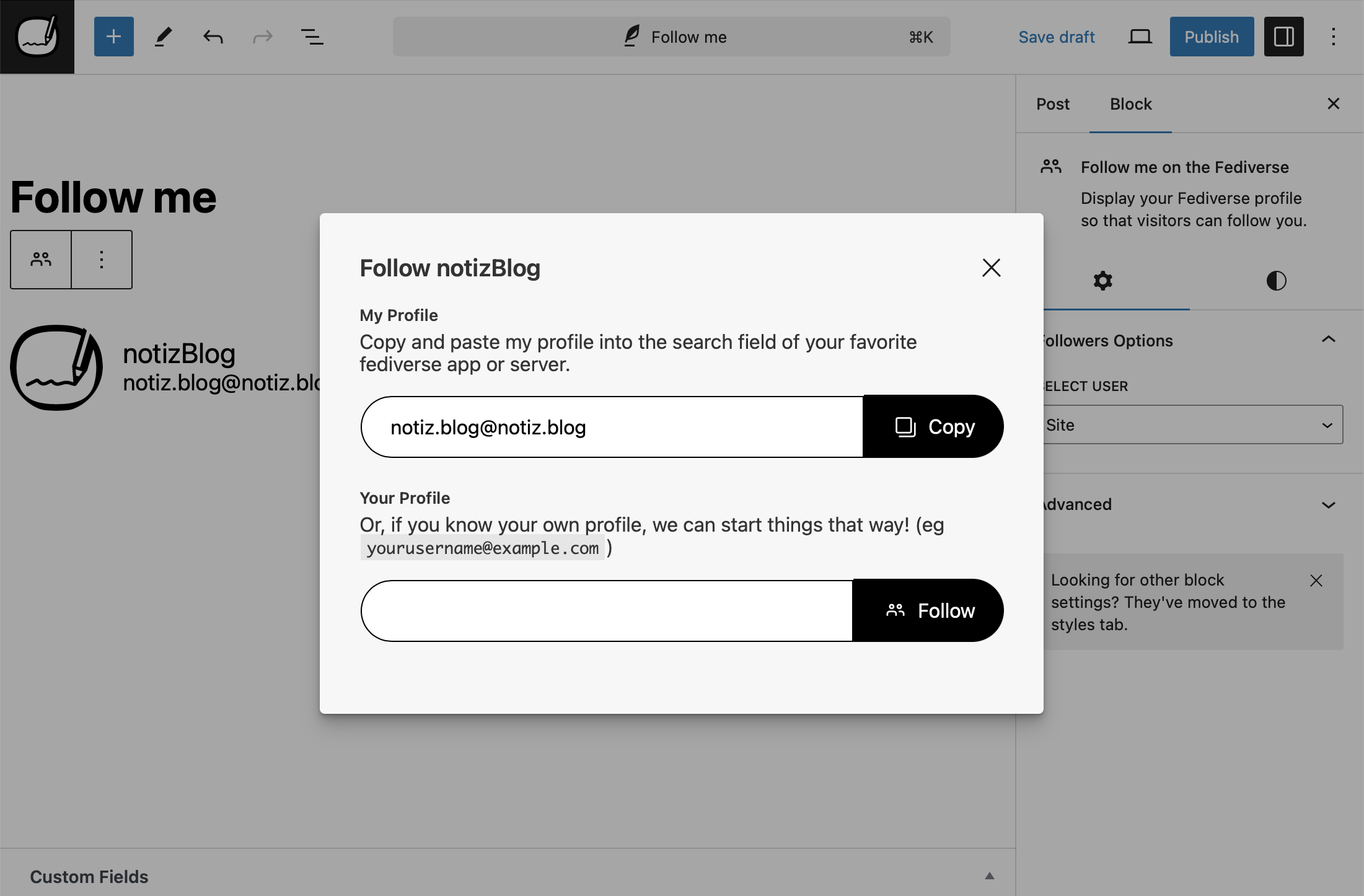
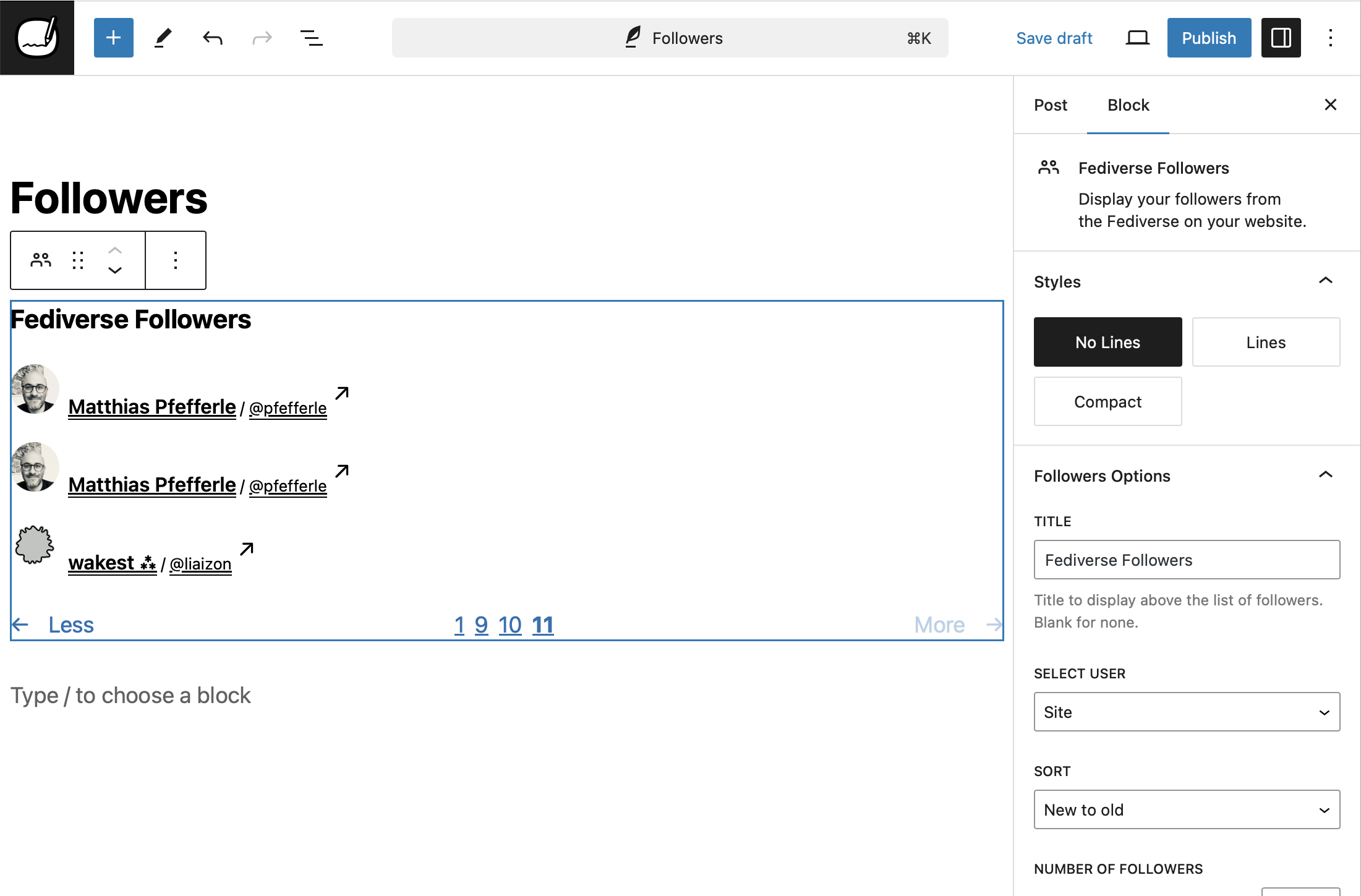
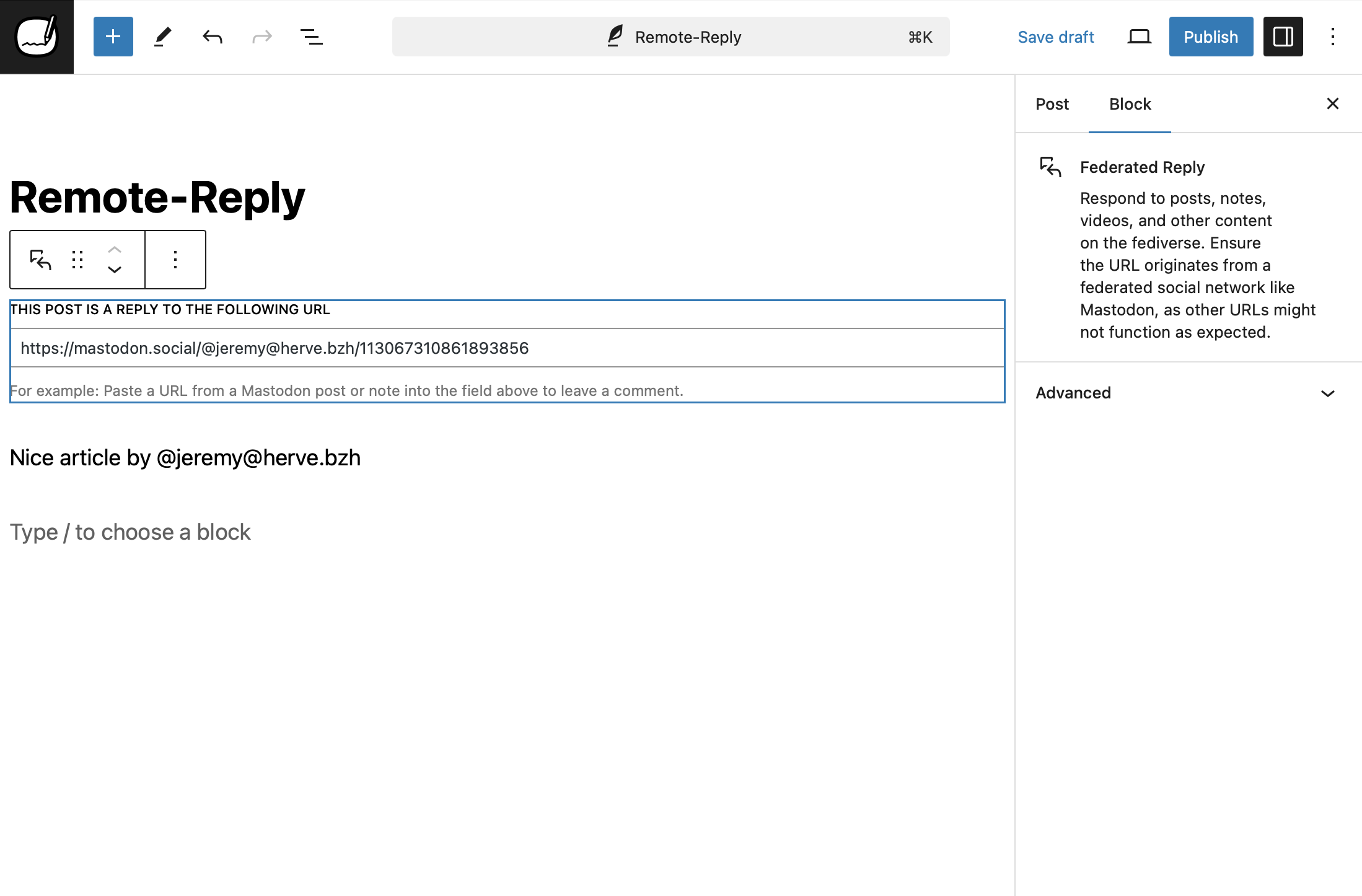
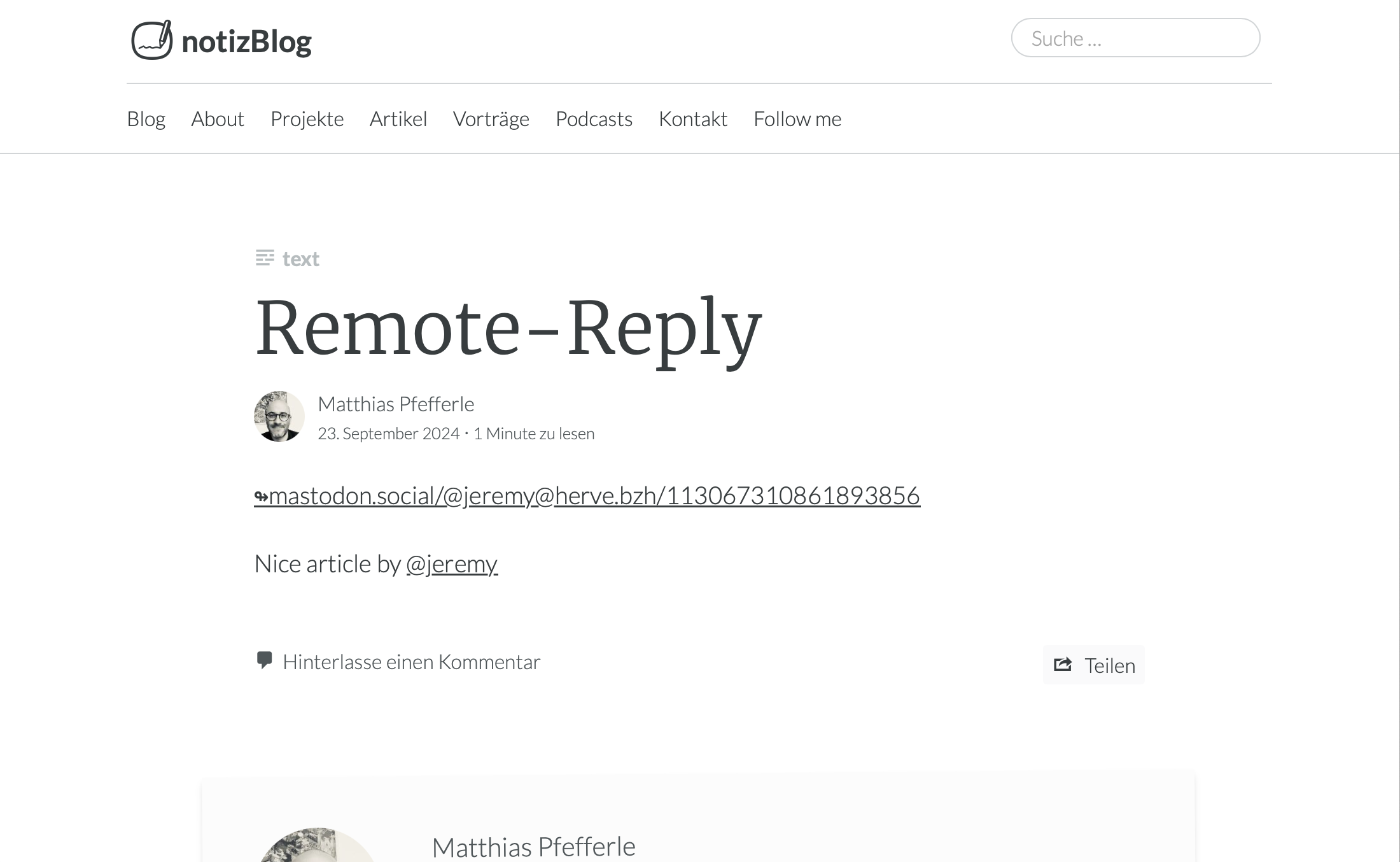
This plugin connects your WordPress blog to popular social platforms like Mastodon, making your posts more accessible to a wider audience. Once installed, your blog can be followed by users on these platforms, allowing them to receive your new posts in their feeds.
ActivityPub for WordPress adds Fediverse features to WordPress, but it is not a replacement for platforms like Friendica or Mastodon. If you’re looking to host a decentralized social network, consider using Mastodon or Friendica.
No. A crossposter pushes copies of your posts to a separate account you already have on someone else’s server. ActivityPub for WordPress does the opposite: it makes your own site a first-class Fediverse account (@you@example.com), so people follow your site directly and replies come back as WordPress comments, with no second account required.
The plugin will not add crossposting to an existing account; that is a deliberate choice, not a missing feature. If you would rather mirror articles to an established Mastodon account, that is a job for a dedicated crossposter plugin.
The name ActivityPub comes from the two core ideas behind the protocol:
- Activity: It is based on the concept of activities, like “Create”, “Like”, “Follow”, “Announce”, etc. These are structured messages (usually in ActivityStreams format) that describe what users do on the network.
- Pub: Short for publish or publication. It refers to the fact that this is a publish-subscribe (pub-sub) protocol — one user can “follow” another, and receive their published activities.
Put together, ActivityPub is a protocol for publishing and subscribing to activities, which enables decentralized social networking — where different servers can interact and users can follow each other across the Fediverse.
We have an FAQ section in the docs directory with checklists for the most common problems — for example follow requests stuck on “pending” and comments from the Fediverse not showing up — and a How-To section in the docs directory for configuring specific setups.
The plugin uses PHP Constants to enable, disable or change its default behaviour. Please use them with caution and only if you know what you are doing.
ACTIVITYPUB_REST_NAMESPACE– Change the default Namespace of the REST endpoint. Default:activitypub/1.0.ACTIVITYPUB_EXCERPT_LENGTH– Change the length of the Excerpt. Default:400.ACTIVITYPUB_MAX_IMAGE_ATTACHMENTS– Change the number of attachments, that should be federated. Default:4.ACTIVITYPUB_HASHTAGS_REGEXP– Change the default regex to detect hashtext in a text. Default:(?:(?<=\s)|(?<=<p>)|(?<=<br>)|^)#([A-Za-z0-9_]+)(?:(?=\s|[[:punct:]]|$)).ACTIVITYPUB_USERNAME_REGEXP– Change the default regex to detect @-replies in a text. Default:(?:([A-Za-z0-9\._-]+)@((?:[A-Za-z0-9_-]+\.)+[A-Za-z]+)).ACTIVITYPUB_URL_REGEXP– Change the default regex to detect urls in a text. Default:(www.|http:|https:)+[^\s]+[\w\/].ACTIVITYPUB_CUSTOM_POST_CONTENT– Change the default template for Activities. Default:<strong>[ap_title]</strong>\n\n[ap_content]\n\n[ap_hashtags]\n\n[ap_shortlink].ACTIVITYPUB_AUTHORIZED_FETCH– Enable AUTHORIZED_FETCH.ACTIVITYPUB_DISABLE_REWRITES– Disable auto generation ofmod_rewriterules. Default:false.ACTIVITYPUB_DISABLE_INCOMING_INTERACTIONS– Block incoming replies/comments/likes. Default:false.ACTIVITYPUB_DISABLE_OUTGOING_INTERACTIONS– Disable outgoing replies/comments/likes. Default:false.ACTIVITYPUB_DISABLE_REMOTE_CACHE– Disable remote media caching (avatars, media, emoji). Default:false. ReplacesACTIVITYPUB_DISABLE_SIDELOADINGfrom 7.9.1.ACTIVITYPUB_SHARED_INBOX_FEATURE– Enable the shared inbox. Default:false.ACTIVITYPUB_SEND_VARY_HEADER– Enable to send theVary: Acceptheader. Default:false.
If you have activated the blog user, you will find the list of his followers in the settings under /wp-admin/options-general.php?page=activitypub&tab=followers.
The followers of a user can be found in the menu under “Users” -> “Followers” or under wp-admin/users.php?page=activitypub-followers-list.
For reasons of data protection, it is not possible to see the followers of other users.
Changelog
9.3.1 – 2026-09-02
Security
- Links to remote profiles in the Followers and Following blocks are now limited to regular web addresses when paging through the list.
- Replies cached on posts in the blog profile’s reader feed are no longer readable by logged-out visitors through the WordPress REST API.
- Signatures on incoming requests are now checked against the address the request was actually sent to.
9.3.0 – 2026-09-02
Security
- Block markup in posts from remote accounts is now removed before the post is saved.
- Follow, reply and reaction links advertised by other Fediverse servers now have to be regular web addresses.
- Followers, cached remote profiles, and reader posts are no longer readable by logged-out visitors through the WordPress REST API, and the setting that hides your follower list is now honoured everywhere.
- Inline styles are now removed from posts and profiles that come from remote accounts.
- Posts from remote accounts are now shown in the Social Web reader exactly as the site stored them.
- Replies from remote accounts are now filtered before they are saved when an administrator imports them through search.
Added
- Add a notification setting to turn off emails about likes, reposts, and quotes without silencing real comments and replies.
- Add the Fediverse and ActivityPub logos to the block editor’s icon library on WordPress 7.1 and newer.
- Federate podcast episodes published with Jetpack, including their audio file and cover art.
Changed
- Enable RFC 9421 HTTP Message Signatures by default.
Fixed
- Apps connected through the ActivityPub API now use the standard ActivityPub API permission names. Fetching remote content through your site is treated as reading rather than posting, so an app needs read permission for it.
- Apps now see the real error when a post they open through your site is missing, instead of a generic failure.
- Comment author names are no longer altered on comments that did not come from the fediverse.
- Fixed a crash that could fill the error log when another server edited a reply to a post that is no longer shared to the Fediverse.
- Fixed an error that could break embeds of Fediverse posts whose author was sent in an unexpected format.
- Fixed an error that could occur when looking up a profile on another Fediverse server that sends back an unexpected response.
- Fixed backslashes disappearing from titles and content in posts from remote accounts.
- Fixed responses to ActivityPub addresses written with different capitalisation not being cached correctly.
- Fixed the Application actor not being found when its address was written with different capitalisation.
- Fixed the Mastodon importer creating duplicate posts when an archive was imported a second time.
- Fixed titles, summaries, captions and display names from remote accounts being stored with stray markup.
- Imported Mastodon media descriptions now have unsafe HTML removed before they are saved.
- Imported Mastodon replies now have unsafe HTML removed before they are saved as comments.
- Improve how blocked accounts are matched.
- Improve permission checks for third-party apps connected through the ActivityPub API.
- Improve validation of incoming activities from other servers.
- Screen readers now announce errors in the follow, reply and reaction dialogs.
- Text inside hidden page elements, like invisible dialog pop-ups, no longer shows up in posts shared to the Fediverse.
- The blog profile can be found again from other Fediverse servers on sites that also run Polylang.
9.2.2 – 2026-08-11
Fixed
- Fixed avatars and emoji occasionally failing to cache, and the file warnings that came with it.
- Fixed deletions from Mastodon and other servers not removing the corresponding comment on your site.
- Fixed some styles not loading on the Fediverse admin screens and in the Followers and Following blocks.
- Fixed the editor warning about unsaved changes right after saving a post with an older date.
9.2.1 – 2026-08-03
Fixed
- Fixed duplicate entries and failed undo actions for activities received from other WordPress sites.
- Fixed posts and profiles not being found on Mastodon and other Fediverse software, which happened when a request asked for ActivityPub data but also accepted HTML as a low-priority fallback.
- Fixed remote profiles and followers not being found when their address contains unusual characters.
- Improved checks on boosted content so it is only accepted from the server that published it.
- Improve escaping of embedded link URLs in federated content.
- Improve permission checks for admin-only actions.
- Improve validation of incoming federated activities so the signing key and referenced objects are bound to the sender.
9.2.0 – 2026-07-31
Changed
- ActivityPub responses are now served only to clients that ask for ActivityPub data and nothing else, which keeps that data out of page caches meant for regular web pages.
- Only users enabled for ActivityPub can obtain and use OAuth access tokens.
Removed
- Remove support for the WP REST Cache plugin.
Fixed
- Hide the heading on the Followers and Following blocks when its text is cleared, matching the Reactions block.
- Under Authorized Fetch, ActivityPub responses are no longer stored by page caches such as LiteSpeed or Surge.
9.1.0 – 2026-07-22
Security
- Ensure apps you connect can only act within the access you granted them, and not make wider changes to your site.
- Ensure remote profiles and content are served from the address they claim before storing them.
- Fix a security issue where a remote actor’s profile link could run scripts in the admin area.
- Ignore an incoming follow request whose actor resolves to a different account than the one that sent it.
Added
- Add a filter that allows federating with servers on private or internal networks.
- Add an actor autocomplete endpoint so Fediverse apps can offer typeahead search when mentioning people.
- Federate the episode summary for Podlove Podcast Publisher episodes.
Changed
- Improve reliability of the Social Web admin screen loading.
- Improve the internal handling of the Application actor used for server-to-server requests.
Fixed
- Ensure a follow can only be declined by the account you followed.
- Fixed using the correct cache representation in Surge config
- Fix follow requests from some fediverse services staying pending after they are accepted.
- Fix likes from some accounts being recorded as multiple duplicate comments.
- Fix posts being removed from the Fediverse when edited while scheduled for a future publish date.
- Fix repeated deliveries of a like or repost creating new comments after the original was marked as spam or moved to the trash.
- Fix Starter Kit imports failing on Fediverse servers that require signed requests.
- Fix the scheduled refresh of remote profiles so it actually re-fetches from the remote server. Previously, stale avatars and bios for commenters never updated until they sent a new activity to your site.
- Fix URLs with multiple query parameters (such as avatars, images, profile links, and podcast media) being corrupted in content sent to the Fediverse.
- Prevent caching non-actor objects (such as notes) as remote profiles.
- Refresh cached remote profiles in place during scheduled updates to avoid creating duplicate copies.
- Show the Fediverse Preview for scheduled posts instead of the regular post preview.
- Stop storing responses from remote servers in the database when they were requested uncached.
9.0.2 – 2026-06-29
Fixed
- Improve handling of content received from other servers.
9.0.1 – 2026-06-15
Added
- Add FAQ guides that help solve follow requests stuck on “pending” and comments from the Fediverse not showing up.
Fixed
- Notify followers about your new preference when the Starter Kit policy setting changes, so other servers no longer act on an outdated one.
- Publish the Starter Kit consent policy only on your own blog and author profiles, no longer on system or third-party profiles.
- Starter Kit consent now also works for the blog profile, not just for individual authors.
9.0.0 – 2026-06-10
Security
- Enforce the signing-key host check on incoming federated activities regardless of how the key identifier is formatted.
- Fix the real-time activity stream so it only returns the requesting user’s own activities.
- Harden the Site Health connectivity check so it cannot be used to reach unsafe network addresses.
- Only share comment replies in the Fediverse when the post they belong to is itself federated, so replies on private or non-federated posts stay private.
- Prevent a remote server from discovering which of your followers belong to a third-party server it does not control.
- Prevent logged-in users from viewing another user’s private outbox activities.
- Prevent remote servers from modifying or deleting federated profiles, posts, and interactions they do not own.
- Rate-limit the remote-follow lookup to prevent it from being abused to trigger outbound requests.
- Stop the OAuth token introspection endpoint from revealing another user’s token details to logged-in users.
- Stop the quote-authorization stamp from exposing a post’s other metadata.
Added
- Add a Distribution Mode setting to control how quickly posts are delivered to followers.
- Add an opt-in setting to consent to inclusion in Starter Kits (also called Starter Packs or Featured Collections). Off by default. Find it under Settings, ActivityPub, Activities.
- C2S clients can now request canonical SWICG ActivityPub API scope names such as
activitypub:read:allandactivitypub:write:all, and the OAuth discovery metadata advertises them. - C2S token responses now include
activitypub_actor_idso clients following the SWICG ActivityPub API Basic Profile can discover the authenticated actor. - Generate a blurred color preview (blurhash) for images so other fediverse apps can show a placeholder while your photos load.
- Quote notification emails now include a link to the post that quoted you, so you can review and respond more quickly.
- Warn in the editor before making a post that’s already shared on the Fediverse a draft, private, or password-protected, since followers’ copies will be removed.
Changed
- Add the
blurhashterm to the outbound JSON-LD@contextso attachments that include ablurhashproperty are strictly correct JSON-LD, matching Mastodon’s own context shape. - Federated posts moved to draft, pending, private, trash, or password-protected now send a Delete to followers (previously sent a placeholder “editing” Update or were silent).
- OAuth rate-limit responses now include a
Retry-Afterheader so clients know how long to wait before retrying. - Updated a build dependency to a clean release now that a fixed version is available.
Removed
- Removed functions, methods, and the Follower class that were deprecated in versions 7.0 through 7.4.
Fixed
- Fix a fatal error when receiving a new follower while the Stream plugin is active.
- Fix a follow request being marked as accepted when the confirmation came from a different account than the one being followed.
- Fix the Fediverse settings appearing twice and visibility changes not saving in the block editor when the Classic Editor plugin is also active.
- Fix the introduction video failing to load on the Getting Started help screen.
- Follower synchronization with Mastodon no longer fails, signed requests with query strings now verify correctly.
- Harden the Blurhash encoder: skip decompression-bomb images before decoding, flatten transparency onto white so transparent logos no longer produce near-black placeholders, and defer the cron encode until attachment metadata is saved.
- Images and videos placed in a Media & Text block are now included when a post is shared to the Fediverse.
- Requests from other platforms to feature your posts are now handled correctly instead of being ignored.
- RSS and Atom feeds now show a simple
@usernamemention in place of the reply block’s full embed card, which only renders properly when the plugin’s frontend CSS is loaded. - Stop a deprecation notice from appearing in the error log when the NodeInfo plugin is also active.
See full Changelog on GitHub.
Available Versions
| Version | Download | Type |
|---|---|---|
| 9.3.1 | Download | Stable |
| 9.3.0 | Download | Stable |
| 9.2.2 | Download | Stable |
| 9.2.1 | Download | Stable |
| 9.2.0 | Download | Stable |
| 9.1.0 | Download | Stable |
| 9.0.2 | Download | Stable |
| 9.0.1 | Download | Stable |
| 9.0.0 | Download | Stable |
| 8.3.0 | Download | Stable |
| 8.2.1 | Download | Stable |
| 8.2.0 | Download | Stable |
| 8.1.1 | Download | Stable |
| 8.1.0 | Download | Stable |
| 8.0.2 | Download | Stable |
| 8.0.1 | Download | Stable |
| 8.0.0 | Download | Stable |
| 7.9.1 | Download | Stable |
| 7.9.0 | Download | Stable |
| 7.8.5 | Download | Stable |
| 7.8.4 | Download | Stable |
| 7.8.3 | Download | Stable |
| 7.8.2 | Download | Stable |
| 7.8.1 | Download | Stable |
| 7.8.0 | Download | Stable |
| 7.7.1 | Download | Stable |
| 7.7.0 | Download | Stable |
| 7.6.1 | Download | Stable |
| 7.6.0 | Download | Stable |
| 7.5.0 | Download | Stable |
| 7.4.0 | Download | Stable |
| 7.3.0 | Download | Stable |
| 7.2.0 | Download | Stable |
| 7.1.0 | Download | Stable |
| 7.0.1 | Download | Stable |
| 7.0.0 | Download | Stable |
| 6.0.2 | Download | Stable |
| 6.0.1 | Download | Stable |
| 6.0.0 | Download | Stable |
| 5.9.2 | Download | Stable |
| 5.9.1 | Download | Stable |
| 5.9.0 | Download | Stable |
| 5.8.0 | Download | Stable |
| 5.7.0 | Download | Stable |
| 5.6.1 | Download | Stable |
| 5.6.0 | Download | Stable |
| 5.5.0 | Download | Stable |
| 5.4.1 | Download | Stable |
| 5.4.0 | Download | Stable |
| 5.3.2 | Download | Stable |
| 5.3.1 | Download | Stable |
| 5.3.0 | Download | Stable |
| 5.2.0 | Download | Stable |
| 5.1.0 | Download | Stable |
| 5.0.0 | Download | Stable |
| 4.7.3 | Download | Stable |
| 4.7.2 | Download | Stable |
| 4.7.1 | Download | Stable |
| 4.7.0 | Download | Stable |
| 4.6.0 | Download | Stable |
| 4.5.1 | Download | Stable |
| 4.5.0 | Download | Stable |
| 4.4.0 | Download | Stable |
| 4.3.0 | Download | Stable |
| 4.2.1 | Download | Stable |
| 4.2.0 | Download | Stable |
| 4.1.1 | Download | Stable |
| 4.1.0 | Download | Stable |
| 4.0.2 | Download | Stable |
| 4.0.1 | Download | Stable |
| 4.0.0 | Download | Stable |
| 3.3.3 | Download | Stable |
| 3.3.2 | Download | Stable |
| 3.3.1 | Download | Stable |
| 3.3.0 | Download | Stable |
| 3.2.5 | Download | Stable |
| 3.2.4 | Download | Stable |
| 3.2.3 | Download | Stable |
| 3.2.2 | Download | Stable |
| 3.2.1 | Download | Stable |
| 3.2.0 | Download | Stable |
| 3.1.0 | Download | Stable |
| 3.0.0 | Download | Stable |
| 2.6.1 | Download | Stable |
| 2.6.0 | Download | Stable |
| 2.5.0 | Download | Stable |
| 2.4.0 | Download | Stable |
| 2.3.1 | Download | Stable |
| 2.3.0 | Download | Stable |
| 2.2.0 | Download | Stable |
| 2.1.1 | Download | Stable |
| 2.1.0 | Download | Stable |
| 2.0.1 | Download | Stable |
| 2.0.0 | Download | Stable |
| 1.3.0 | Download | Stable |
| 1.2.0 | Download | Stable |
| 1.1.0 | Download | Stable |
| 1.0.10 | Download | Stable |
| 1.0.9 | Download | Stable |
| 1.0.8 | Download | Stable |
| 1.0.7 | Download | Stable |
| 1.0.6 | Download | Stable |
| 1.0.5 | Download | Stable |
| 1.0.4 | Download | Stable |
| 1.0.3 | Download | Stable |
| 1.0.2 | Download | Stable |
| 1.0.1 | Download | Stable |
| 1.0.0 | Download | Stable |
| 0.17.0 | Download | Stable |
| 0.16.5 | Download | Stable |
| 0.16.4 | Download | Stable |
| 0.16.3 | Download | Stable |
| 0.16.2 | Download | Stable |
| 0.16.1 | Download | Stable |
| 0.16.0 | Download | Stable |
| 0.15.0 | Download | Stable |
| 0.14.3 | Download | Stable |
| 0.14.2 | Download | Stable |
| 0.14.1 | Download | Stable |
| 0.14.0 | Download | Stable |
| 0.13.4 | Download | Stable |
| 0.13.3 | Download | Stable |
| 0.13.2 | Download | Stable |
| 0.13.1 | Download | Stable |
| 0.13.0 | Download | Stable |
| 0.12.0 | Download | Stable |
| 0.11.2 | Download | Stable |
| 0.11.1 | Download | Stable |
| 0.11.0 | Download | Stable |
| 0.10.1 | Download | Stable |
| 0.10.0 | Download | Stable |
| 0.9.1 | Download | Stable |
| 0.9.0 | Download | Stable |
| 0.8.3 | Download | Stable |
| 0.8.2 | Download | Stable |
| 0.8.1 | Download | Stable |
| 0.8.0 | Download | Stable |
| 0.7.4 | Download | Stable |
| 0.7.3 | Download | Stable |
| 0.7.2 | Download | Stable |
| 0.7.1 | Download | Stable |
| 0.7.0 | Download | Stable |
| 0.6.0 | Download | Stable |
| 0.5.1 | Download | Stable |
| 0.5.0 | Download | Stable |
| 0.4.4 | Download | Stable |
| 0.4.3 | Download | Stable |
| 0.4.2 | Download | Stable |
| 0.4.1 | Download | Stable |
| 0.4.0 | Download | Stable |
| 0.3.2 | Download | Stable |
| 0.3.1 | Download | Stable |
| 0.3.0 | Download | Stable |
| 0.2.1 | Download | Stable |
| 0.2.0 | Download | Stable |
| 0.1.1 | Download | Stable |
| 0.1.0 | Download | Stable |
| 0.0.2 | Download | Stable |
| 0.0.1 | Download | Stable |
| Development | Download | Trunk |
