
ActiveLayer Anti-Spam: Spam Protection for Forms & Comments
Active Installs
0+
Last Updated
April 17, 2026
First Released
April 17, 2026
Download History (Last one month)
Anti-Spam Protection Without CAPTCHAs
ActiveLayer is an intelligent anti-spam solution that stops contact form spam and comment spam without CAPTCHAs, puzzles, or extra steps for your visitors. Your forms stay fast and frictionless while unwanted messages get caught in the background.
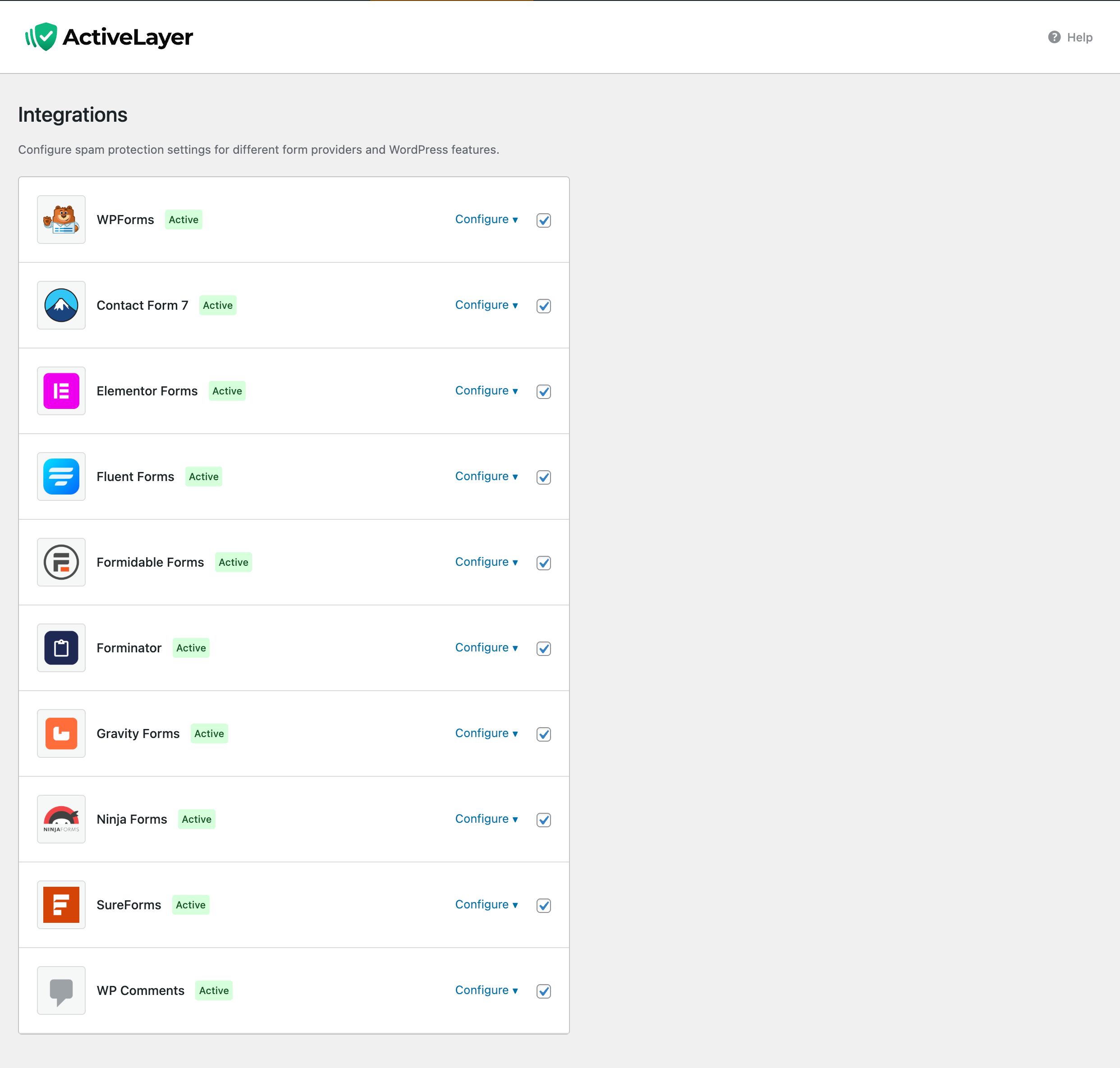
Your time and attention are expensive — stop spending them on spam. ActiveLayer protects popular form builders like WPForms, Contact Form 7, Gravity Forms, Elementor Forms, and Fluent Forms, plus native WordPress comments, all from a single plugin. With 10 form integrations built in, you manage all your spam protection from one settings page.
Create a free account and get started
Zero Friction Spam Filtering
Most anti-spam tools either show visitors a CAPTCHA or make them wait while the check runs. ActiveLayer takes a different approach. Submissions complete instantly while background checks happen asynchronously using a queue powered by Action Scheduler.
This means your forms are always fast. There is no API latency added to the submission flow, no spinners, and no delays. Visitors get the same instant experience whether protection is enabled or not. If a submission is clean, notifications are sent as normal. If it is flagged, notifications are suppressed automatically.
Intelligent Spam Detection
ActiveLayer analyzes submission patterns, content reputation, behavioral signals, and environment data to catch both automated bots and human bad actors with high accuracy. Unlike simple honeypot or keyword-blocklist approaches, ActiveLayer uses multiple signals to make smarter decisions about every submission.
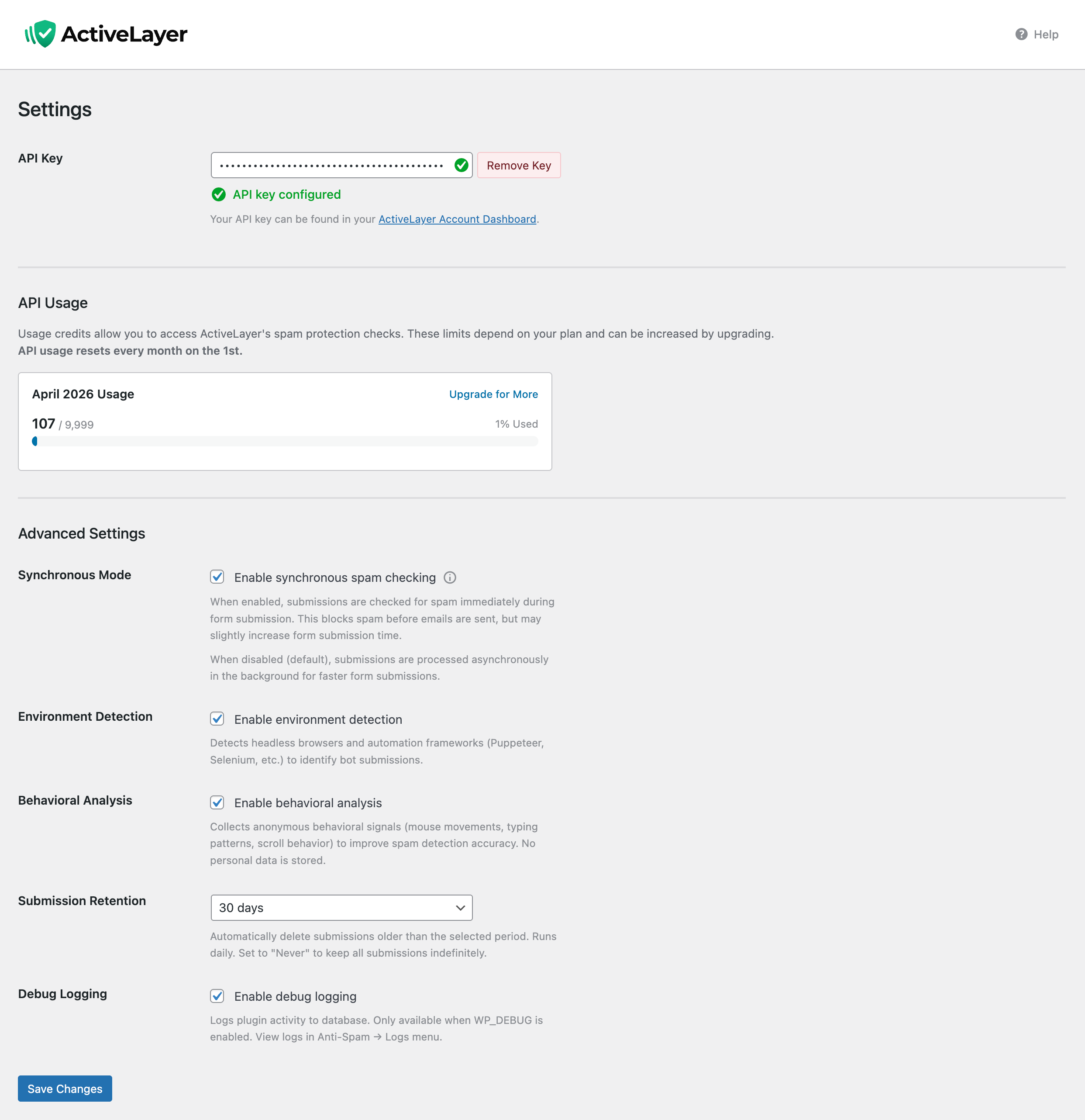
Optional behavioral tracking monitors how users interact with your forms — keystrokes, mouse movements, touch events, and scroll patterns. Environment detection identifies headless browsers and automated tools. These client-side signals are sent alongside form data for deeper analysis.
Per-Form Control and Sync Mode
You decide exactly which forms to protect. ActiveLayer uses a privacy-first, opt-in approach — protection is enabled per form, not globally. This gives you granular control over every contact form, registration form, or comment section on your site.
Sync Mode lets supported integrations wait for the API verdict before the submission completes, so spam can be blocked inline. By default, ActiveLayer runs checks asynchronously for maximum speed. Turn Sync Mode on when you prefer inline blocking and can tolerate a small added latency on submissions.
Fail-Safe by Design
If the ActiveLayer API is temporarily unavailable, your forms keep working. ActiveLayer is designed to fail open — it restores provider defaults, preserves every submission, and retries background checks automatically when connectivity returns. No lost submissions, no blocked emails, no broken forms.
Automatic retries handle transient failures. A built-in watchdog checks queue health every 15 minutes and shows admin notices when pending items build up or Action Scheduler is unavailable. You always know the status of your protection.
Full Visibility Dashboard
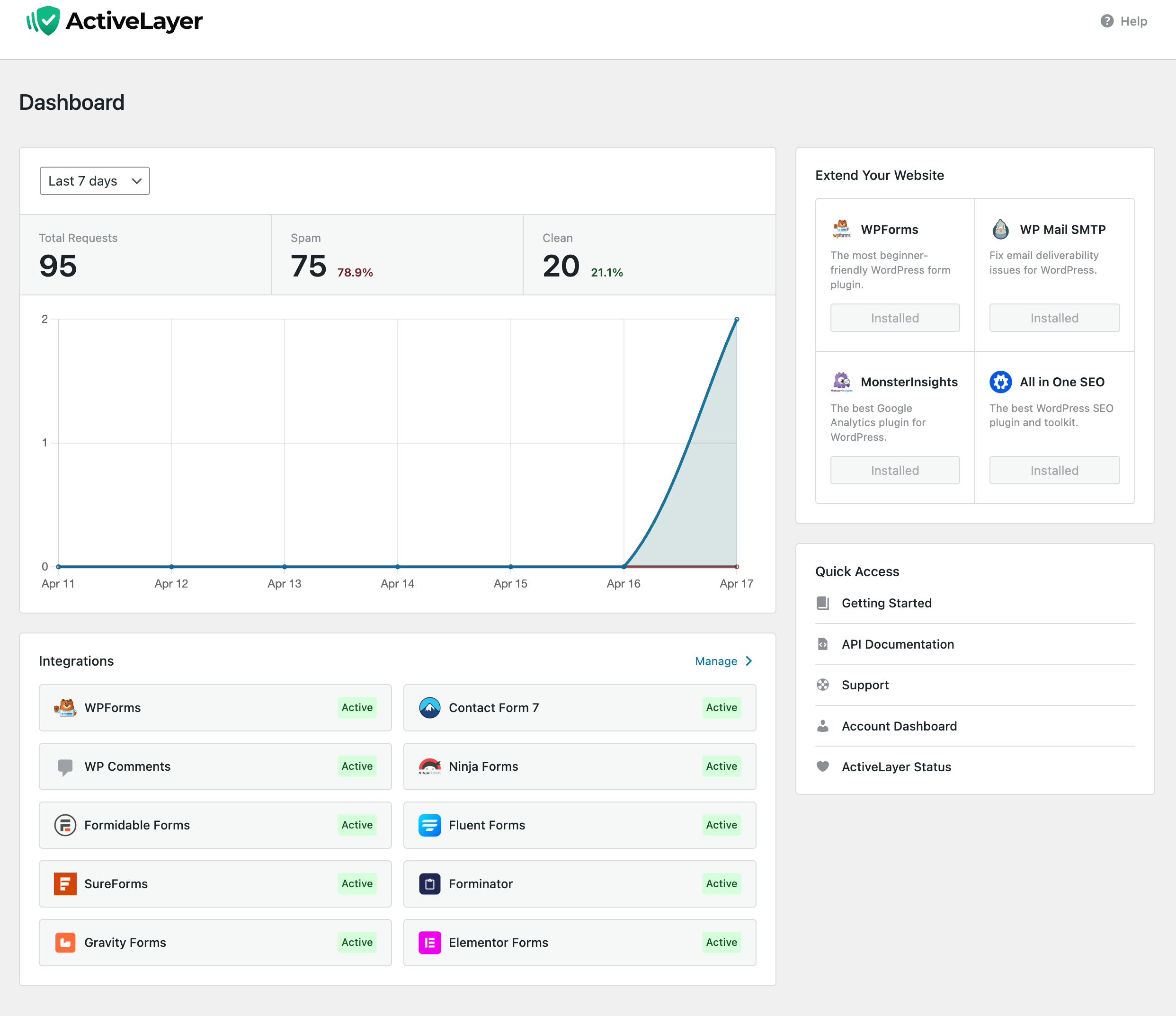
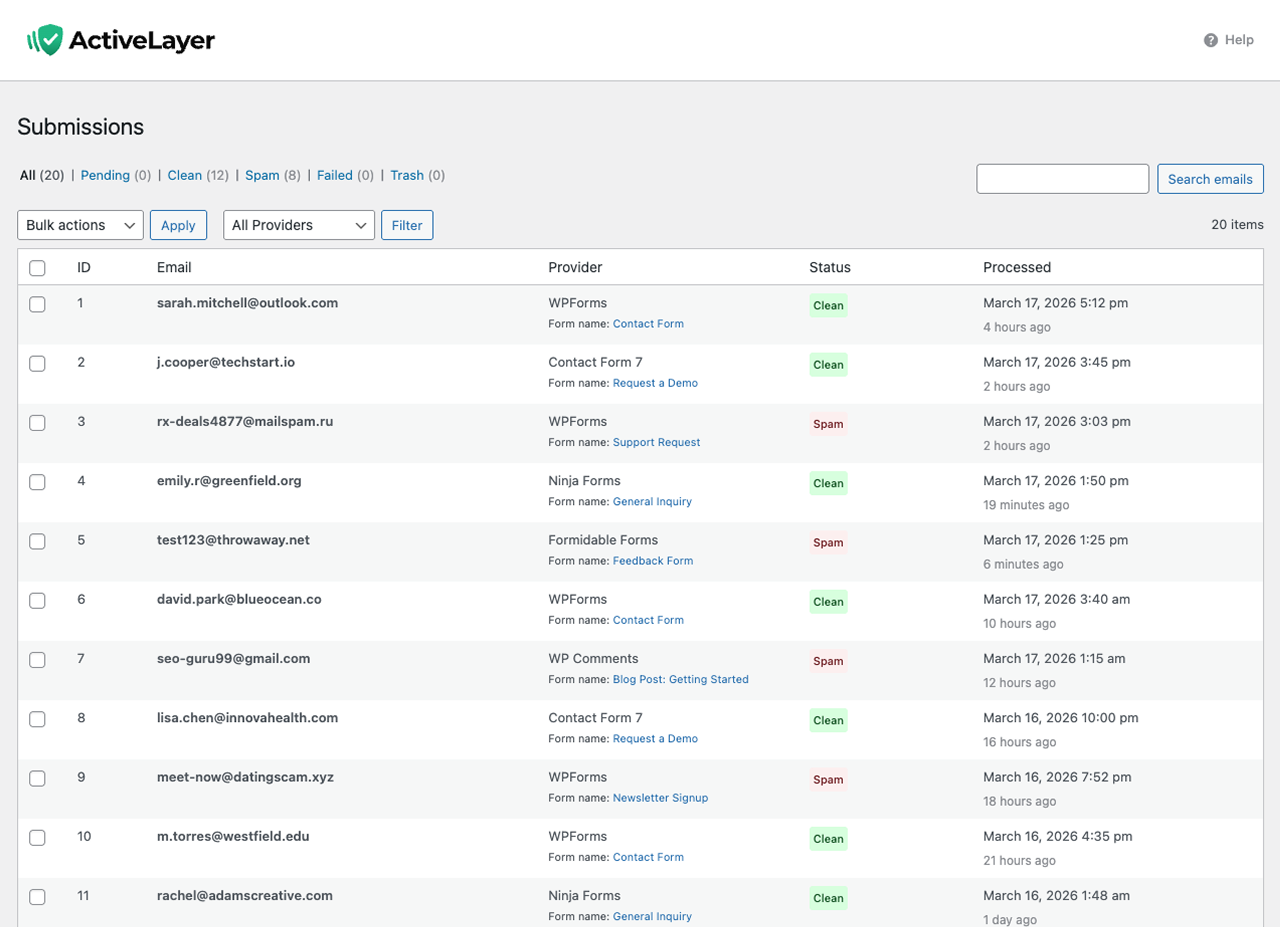
See exactly what is happening with your form protection at a glance. The ActiveLayer dashboard shows submission totals, spam caught, accuracy rates, queue health, and integration status — all in one place. Filter submissions by status or provider, and use bulk actions to recheck, mark as clean or junk, or trash items you no longer need.
Every submission is logged in a custom database table. You can review verdicts, recheck past submissions with a fresh API call, and override any decision. Debug logging (opt-in, PII-redacted) gives you even deeper insight when troubleshooting.
Who Is ActiveLayer For?
Small Business Websites
Protect your contact forms and inquiry forms without adding friction for potential customers. Every form submission from a real visitor goes through instantly while junk gets caught behind the scenes.
Bloggers and Publishers
Stop comment spam on your posts without requiring readers to solve CAPTCHAs or prove they are human. ActiveLayer checks comments in the background and can auto-approve clean ones or auto-mark detected spam.
Agencies Managing Multiple Sites
One plugin covers WPForms, Contact Form 7, Gravity Forms, Elementor Forms, Fluent Forms, Formidable Forms, and more — 10 integrations managed from one settings page. No need to configure separate anti-spam tools for each form builder your clients use.
E-commerce and Service Businesses
Keep inquiry and support forms clean while maintaining a fast, professional user experience. The async architecture means your forms never slow down, even during high-traffic periods.
Full ActiveLayer Feature List
- Async processing – Background queue via Action Scheduler so forms complete instantly
- No CAPTCHA required – Invisible protection with zero friction for visitors
- WPForms integration – Per-form enable, async checks with email replay, optional sync-save strategy
- Contact Form 7 integration – Synchronous checks, field mapping via activelayer:* tags, per-form control
- Gravity Forms integration – Entry-based spam detection with per-form control and notification management
- Elementor Forms integration – Protect Elementor Pro form widgets with per-form spam filtering
- Fluent Forms integration – Per-form spam detection with email notification handling
- Formidable Forms integration – Notification interception and replay, sync fallback option
- Forminator integration – Form submission interception with per-form toggles and notification management
- Ninja Forms integration – Email action capture, clean verdict replay, spam suppression
- SureForms integration – Spam protection for SureForms with per-form control
- WordPress Comments protection – Auto-approve clean comments, auto-spam detected ones, fail-open restore
- Per-form toggles – Enable or disable protection on individual forms (privacy by design)
- Sync Mode – Optional synchronous spam checks for inline blocking on supported integrations
- Dashboard analytics – Submission totals, spam caught, accuracy rates, queue health at a glance
- Submissions management – Filter by status and provider, bulk recheck, mark clean or spam, trash
- Fail-open architecture – Forms keep working if the API is temporarily unavailable
- Automatic retries – Failed submissions are re-queued and retried automatically
- Queue watchdog – 15-minute health checks with admin notices for stalled queues
- Behavioral signal collection – Keystroke, mouse, touch, and scroll tracking for deeper analysis
- Environment detection – Identifies headless browsers and automated submission tools
- Debug logging – Opt-in ring buffer (last 200 entries), PII-redacted, view and clear in admin
- Bulk recheck – Re-queue past submissions for fresh API verdicts anytime
- Privacy-first design – Per-form opt-in, sanitized logging, masked secrets, hashed emails
Integrations
- WPForms (Lite and Pro)
- Contact Form 7
- Gravity Forms
- Elementor Forms (Pro)
- Fluent Forms
- Formidable Forms
- Forminator
- Ninja Forms
- SureForms
- WordPress Comments (built-in)
External services
This plugin connects to the ActiveLayer API to analyze form submissions and comments for spam. It is the core service that powers all spam detection — without it, the plugin cannot classify submissions.
ActiveLayer API
What it does: Provides spam detection verdicts (clean or spam) for form submissions and comments.
When data is sent: Each time a form submission or comment is processed through the plugin’s background queue (via Action Scheduler), the submission data is sent to the API for analysis.
What data is sent:
* Submission content (name, email, message, URL if provided)
* IP address and user agent of the submitter
* Form metadata (form ID, form name, provider name)
* Site URL and WordPress locale
* Behavioral and environment signals (if enabled in settings)
Service provider: ActiveLayer (activelayer.com)
* Terms of Service
* Privacy Policy
- In your WordPress admin, go to Plugins Add New and search for “ActiveLayer”.
- Click “Install Now”, then “Activate”.
- Go to ActiveLayer Settings and paste your API key.
- Click Verify Key to confirm your connection.
- Enable the integrations you need and turn on protection per form.
Get your free API key at activelayer.com.
Screenshot Gallery
No. ActiveLayer is a completely CAPTCHA-free anti-spam solution. Spam checks happen server-side in the background, so your visitors never see puzzles, challenges, or extra steps. Forms stay fast and frictionless.
ActiveLayer works with WPForms (Lite and Pro), Contact Form 7, Gravity Forms, Elementor Forms (Pro), Fluent Forms, Formidable Forms, Forminator, Ninja Forms, SureForms, and native WordPress comments — 10 integrations in total. All are managed from a single settings page with per-form control.
No. Submissions are queued and checked in the background via Action Scheduler. The form or comment completes immediately — visitors see instant results while spam filtering happens behind the scenes.
Sync Mode makes supported integrations wait for the API verdict before the submission completes, allowing the plugin to block spam inline. By default, ActiveLayer uses async processing for maximum speed with zero API latency added to forms. Enable Sync Mode when you prefer inline blocking and can tolerate a small added latency on submissions.
ActiveLayer is designed to fail open. If the API cannot be reached, your forms keep working normally — notifications still send, comments are preserved with their original status, and background checks automatically retry when connectivity returns. No submissions are ever lost.
Yes. ActiveLayer offers a free tier. Create your account at activelayer.com to get your API key and start protecting your forms and comments from spam.
Absolutely. ActiveLayer uses a privacy-first, opt-in approach. You enable spam protection on each individual form through the form builder settings. Forms without protection enabled are not affected at all.
ActiveLayer uses an async queue architecture — your forms never wait for the spam check to finish. It also supports per-form toggles, optional Sync Mode for inline blocking, and integrates with nine popular form builders plus WordPress comments from a single plugin. Unlike blocklist-based tools, ActiveLayer analyzes multiple signals for more accurate spam detection.
Yes. In ActiveLayer Submissions, use row actions or bulk actions to “Recheck with API”. Submissions are re-queued and updated when new verdicts return. This is useful after tuning your settings or when you want to re-evaluate older items.
In most cases, yes. ActiveLayer integrates cleanly with supported form builders and WordPress comments. If you run multiple anti-spam solutions, start with protection enabled on a single test form to verify there are no conflicts or double-filtering issues before rolling it out to the rest of your site.
Changelog
1.1.0
- Added: Gravity Forms integration with per-form control and notification management.
- Added: Elementor Forms integration for Elementor Pro form widgets.
- Added: Fluent Forms integration with per-form spam detection and email handling.
- Added: Forminator integration with per-form toggles and notification replay.
- Added: SureForms integration with per-form control.
- Added: Global Sync Mode setting for inline spam blocking on supported integrations.
- Added: Client-side behavioral analysis (keystrokes, mouse, touch, scroll).
- Added: Environment detection for headless browsers and automated tools.
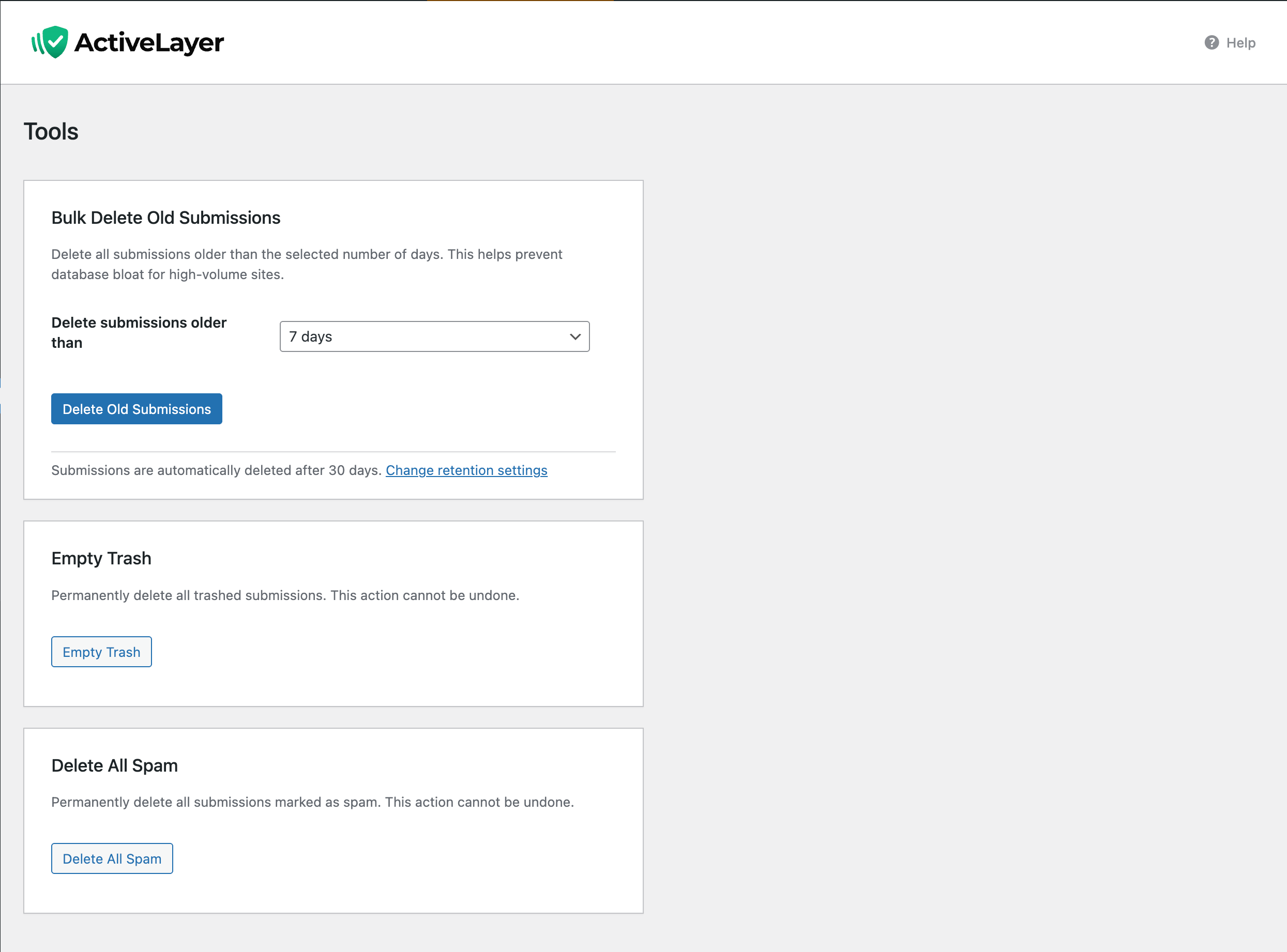
- Added: Tools page with bulk delete of old submissions and retention controls.
- Added: Sync Save strategy for WPForms (full synchronous save with email replay).
- Added: Conditional frontend script loading — scripts load only on pages with protected forms.
- Added: API Status link in dashboard quick access.
- Added: Client signals output for Fluent Forms.
- Added: UTM tracking parameters on outbound links.
- Added:
activelayer_show_tracking_modefilter for advanced workflows. - Improved: Human-readable provider names throughout Submissions admin.
- Improved: WordPress timezone handling across analytics and cleanup routines.
- Improved: Atomic
reset_for_retry()to prevent race conditions on recheck. - Improved: Consolidated admin notices via
NoticeHelper. - Improved: Security hardening — output escaping,
$wpdb->prepare()coverage, input sanitization. - Improved: Deactivation and uninstall cleanup across all integrations and transients.
- Improved: Build pipeline with QA site deployment and asset rebuilds.
- Fixed: Comments integration now requires a valid API key before activating.
- Fixed: Graceful handling of null submissions in async worker.
- Fixed: Dashboard widget compatibility with WPForms Pro.
- Fixed: Ninja Forms SpamCheckAction edge cases.
- Fixed: Elementor Forms edit link uses
page_idinstead of element hash. - Fixed: Activation redirect slug and hook priority for first-time installs.
- Fixed: WPForms SYNC_SAVE now re-sends emails via
EmailReconstructor. - Fixed: Submission analytics — trash fallback,
wp_date()validation, DST edge cases. - Fixed: Gravity Forms email domain handling on cleanup.
- Changed: Removed per-form Tracking Mode in favor of Global Sync Mode.
- Changed: Reduced cyclomatic complexity in GravityForms and Forminator admin settings.
1.0.0
- Initial release.
" width="120" height="120">
